Deutsch
 Français
 Italiano
 Español
 EUR
EUR USD
USDMonitor Mounts in Focus: Mechanics, Assembly & Stability
This technical article sheds light on the mechanical differences of various spring systems in desk mounts, analyzes the physical peculiarities of curved monitors, and defines the requirements for mounting a monitor arm to a desk.
The most important takeaways for choosing your monitor mount:
- Priority Weight: Decisive for the mount is the weight without stand, not the screen diagonal.
- Choice of Mechanics: Gas springs for frequent position changes at the desk; mechanical springs for static permanent solutions.
- Curved Factor: Due to the shift in center of gravity, a weight buffer in load capacity is essential.
- Mounting Surface: For lightweight tables (honeycomb structure), the use of a reinforcement plate is technically necessary.
📑 Table of Contents (Navigation)
1. The Mechanics: How does the mount move?
The heart of every dynamic monitor mount is the mechanism that counterbalances the weight of the screen. Here are the three designs in direct comparison.
A. The Gas Spring
(Gas Spring Technology)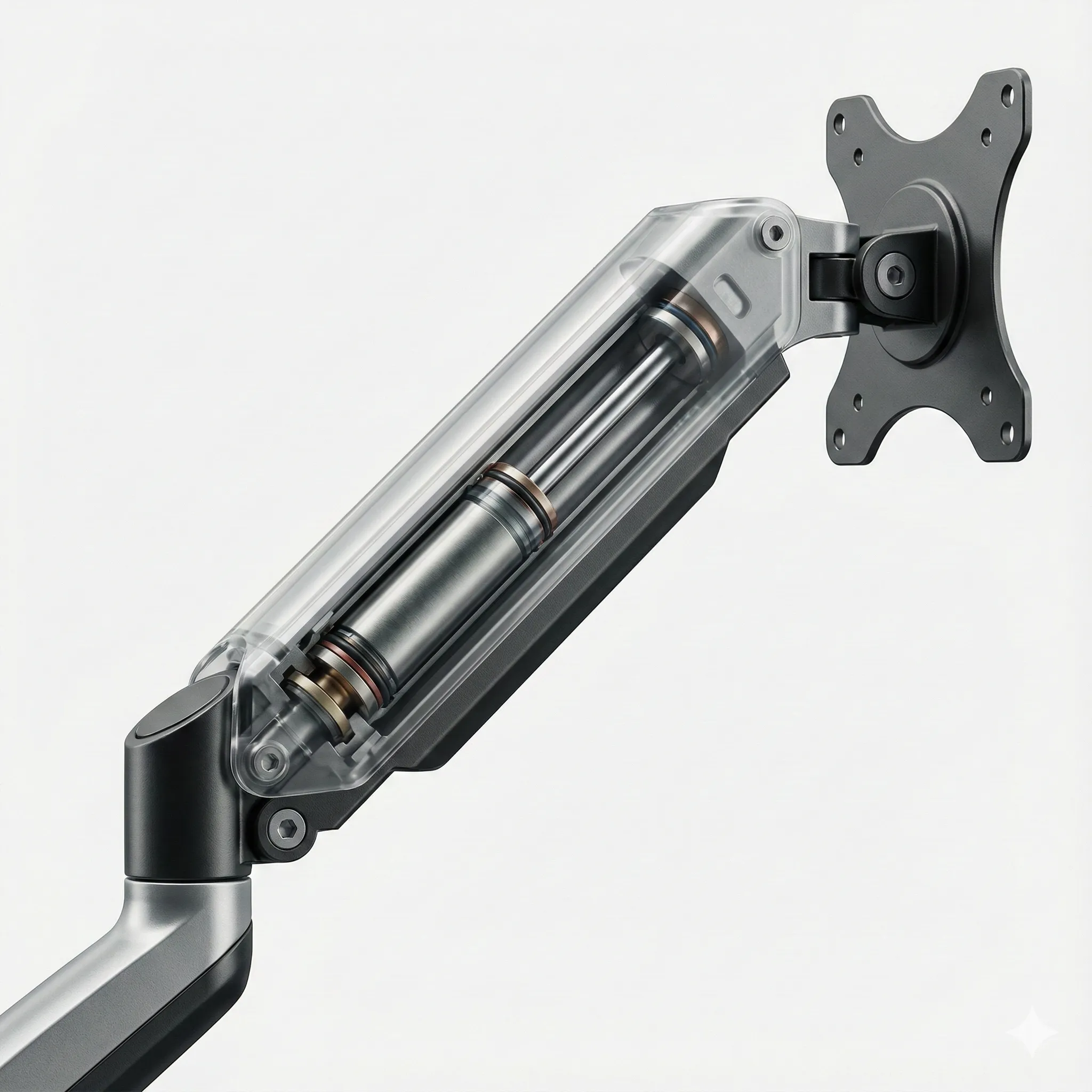
Function: Nitrogen gas in a cylinder creates the counter-pressure. Offers the smoothest "floating effect".
B. The Mechanical Spring
(Heavy-Duty Coil Spring)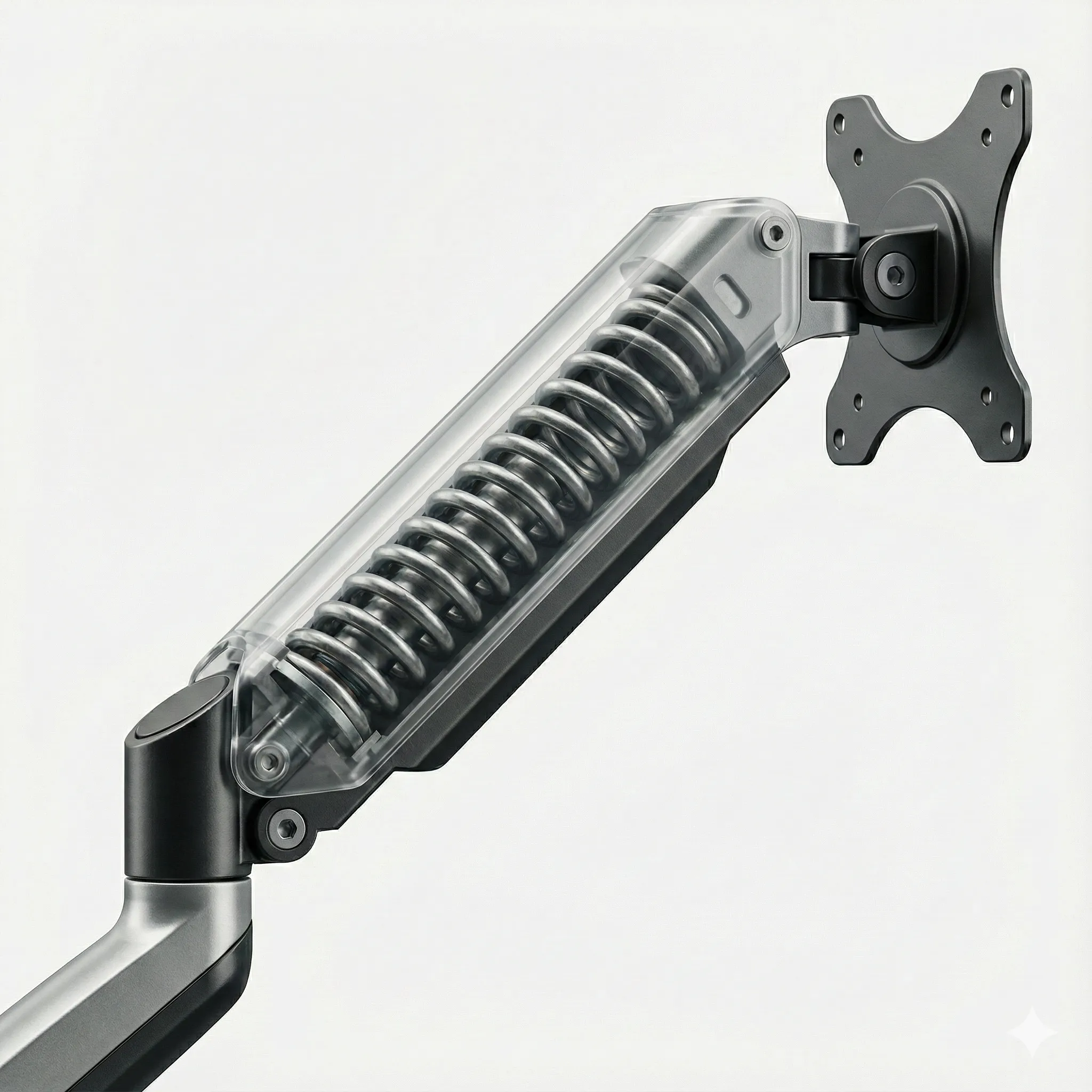
Function: A steel coil spring is tensioned. Immune to temperature fluctuations and extremely robust.
C. Static Mount
(Fixed Pole Mounts)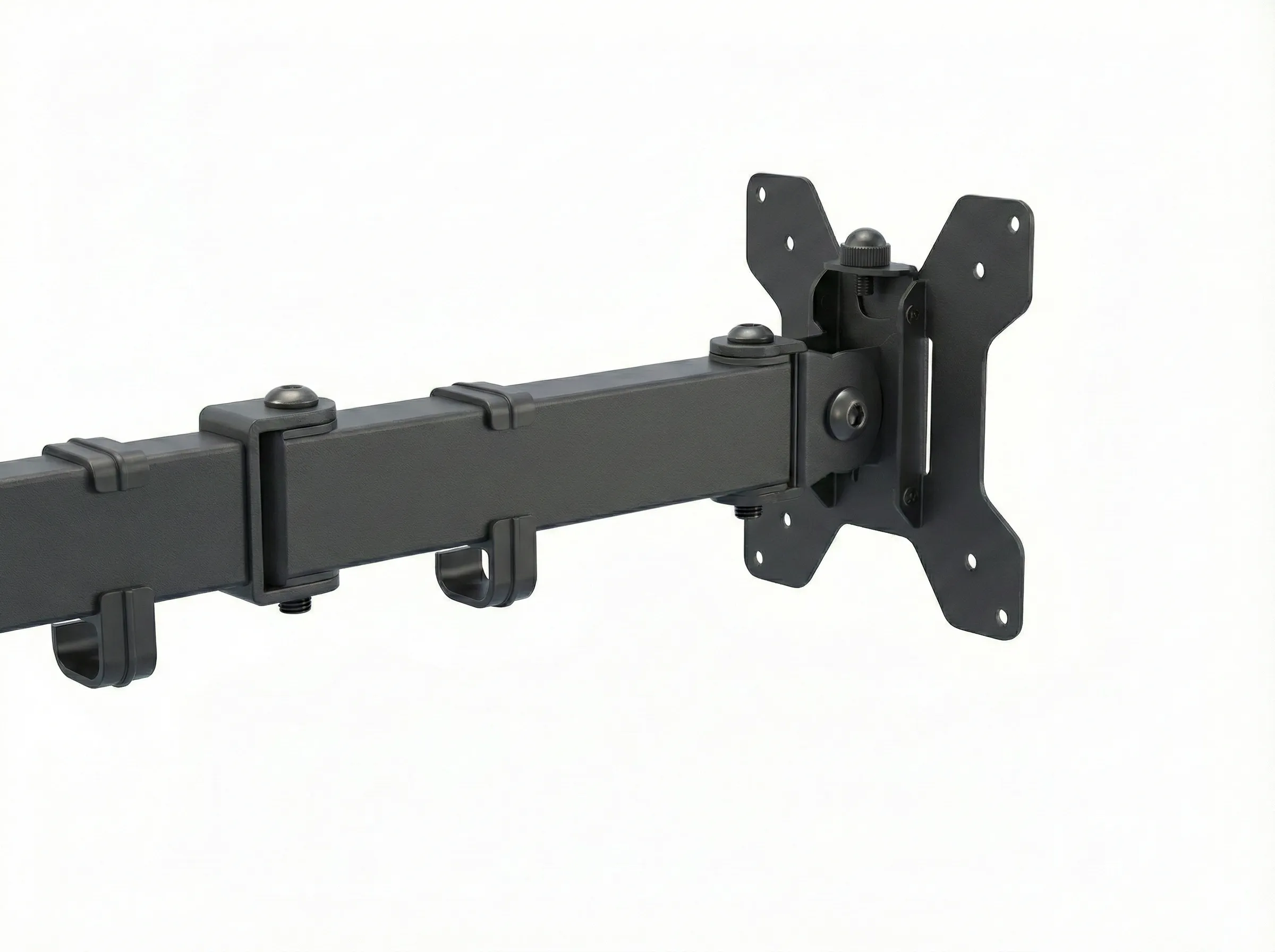
Function: Fixed to a pole without counterweight. Maximum stability, ideal for touch applications at the desk.
2. Physical Basics: Weight over Screen Size
From a technical perspective, the screen diagonal is of secondary importance for the static load capacity of a monitor mount. The decisive factor for compatibility is the actual weight of the panel (without stand). As long as the monitor weight is within the specified load range and the VESA size fits, the inch size is physically irrelevant.
Many buyers forget the minimum. Springs have a minimum tension. A "Heavy-Duty" monitor mount (range 2-15 kg) would permanently push an ultra-light 1.5 kg monitor upwards (rebound effect). So always check: Does your monitor weight lie between the min and max value?
3. Special Case: Curved Monitors
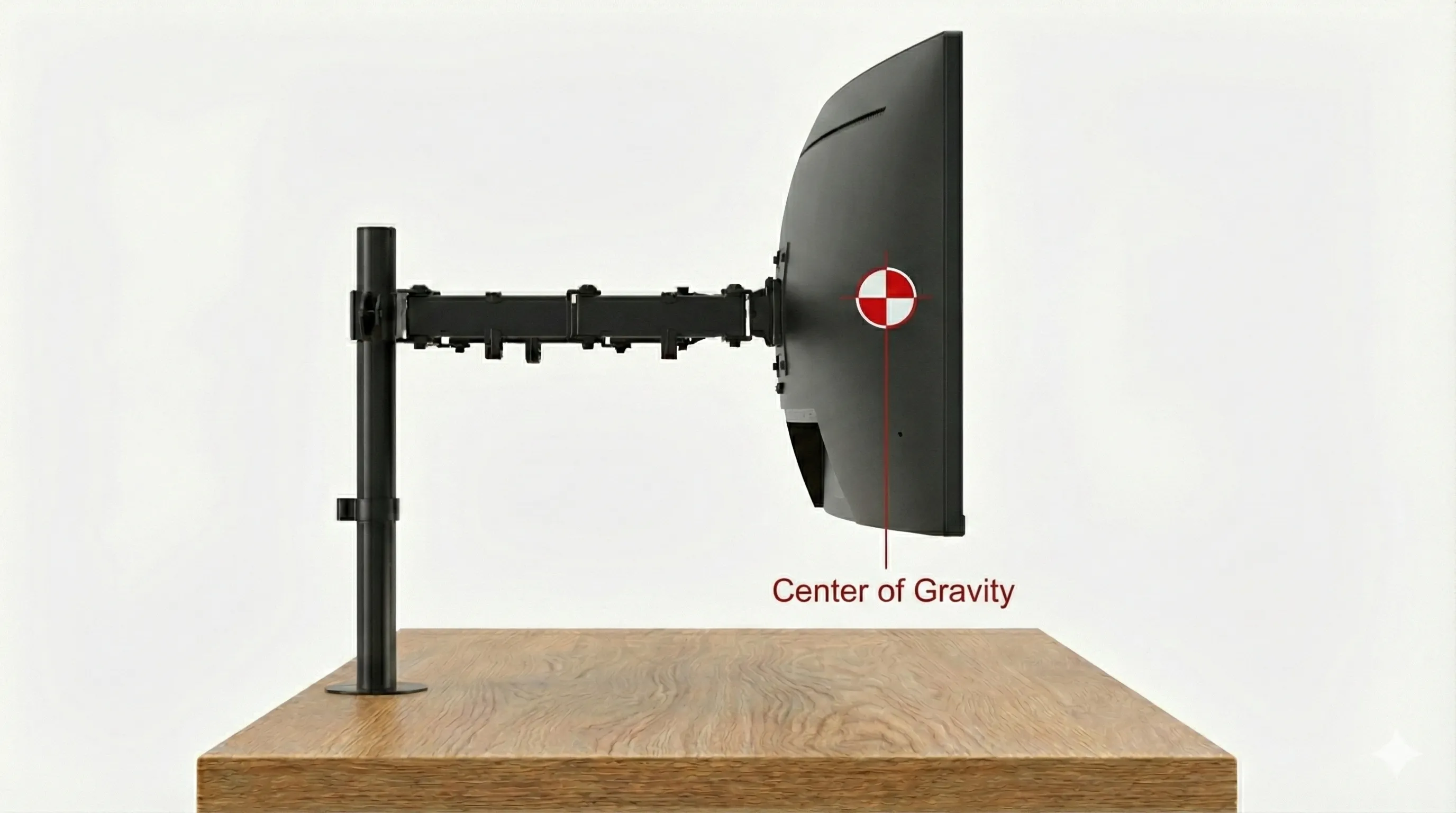
Strongly curved monitors (e.g., 1000R curvature) shift the center of gravity far into the room. This creates a strong leverage effect on the mount.
Comparison: Flat Screen vs. Curved
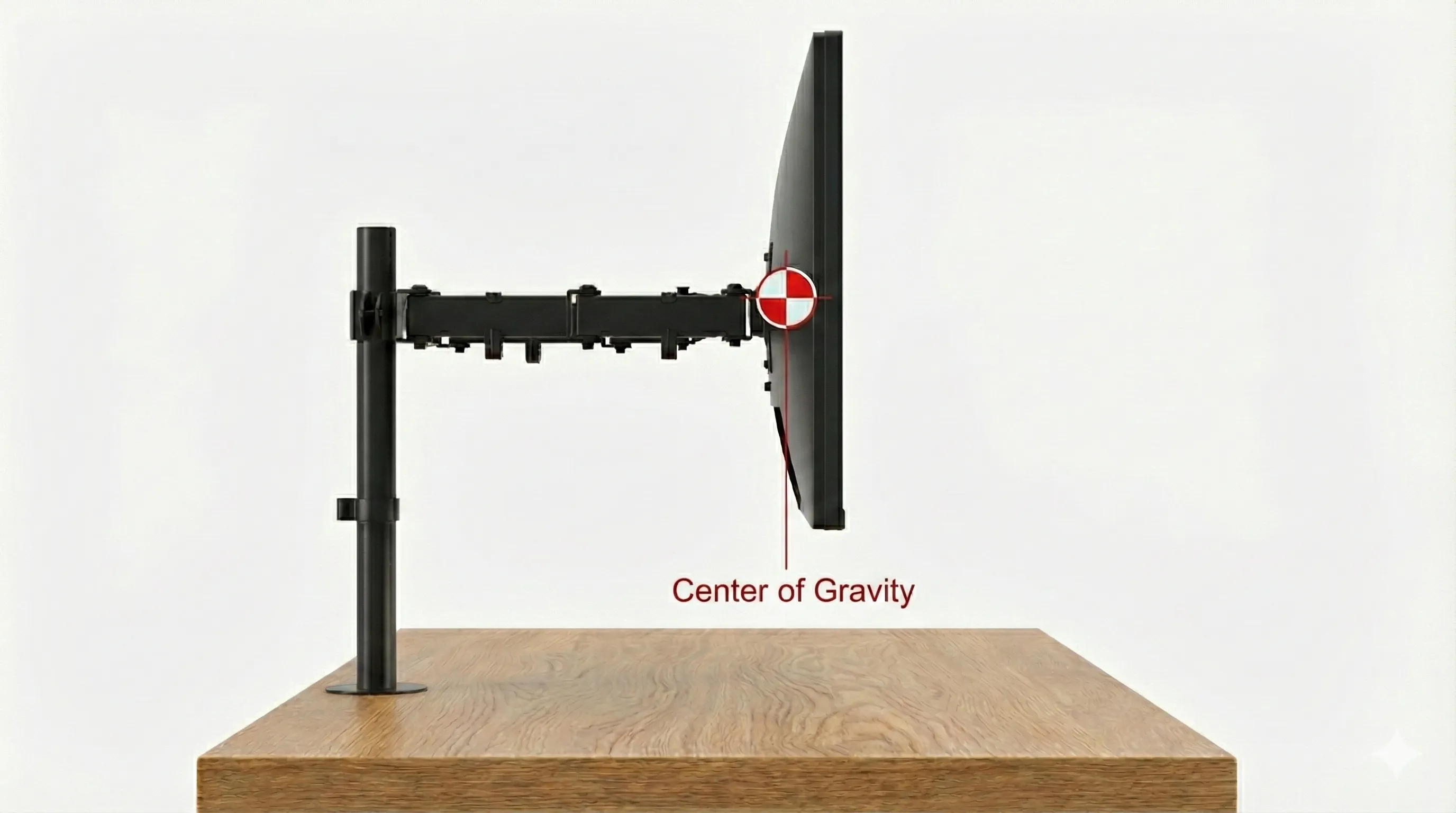
| Parameter | Flat Monitor | Curved Monitor |
|---|---|---|
| Center of Gravity | Close to VESA (approx. 2cm) | Far forward (up to 15cm) |
| Leverage | Low / Neutral | High (Torque) |
| At 10 kg Weight | Acts like 10 kg | Often acts like 13-14 kg |
The Consequence: A curved monitor stresses the tilt joint significantly more than a flat screen. Always plan for a weight buffer in load capacity when choosing a monitor mount!
4. Mounting Options: Clamp vs. Drill Method
Solid fixation to the desk forms the basis for an ergonomic setup. The methods shown below (Desk Clamp & Grommet Mount) represent the industry standard for monitor mounts.
Option A: The Desk Clamp
(C-Clamp)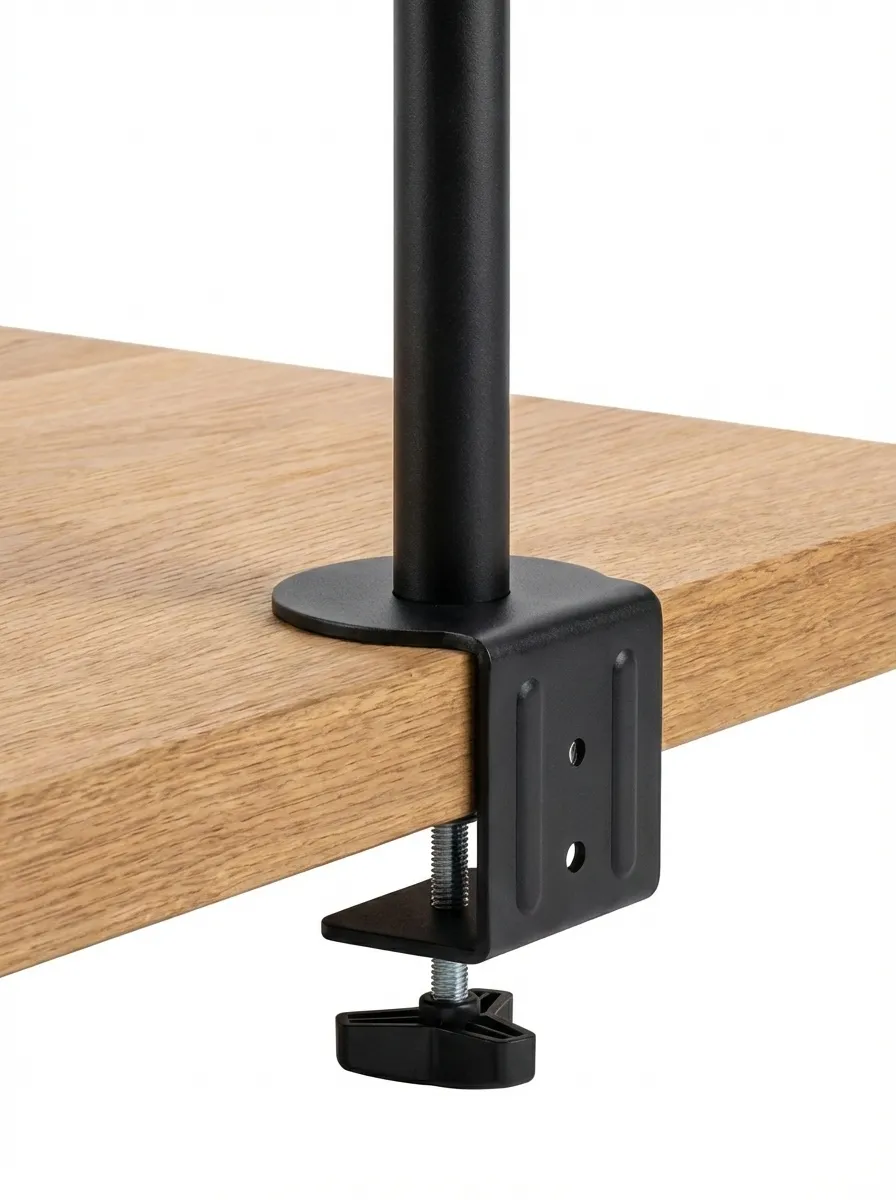
The standard case. A clamp encloses the desk edge and is manually tightened.
- Advantage: Non-destructive (no drilling), high flexibility.
- Disadvantage: Requires sufficient desk overhang.
Option B: Grommet Mount
(Through-Desk / Drill)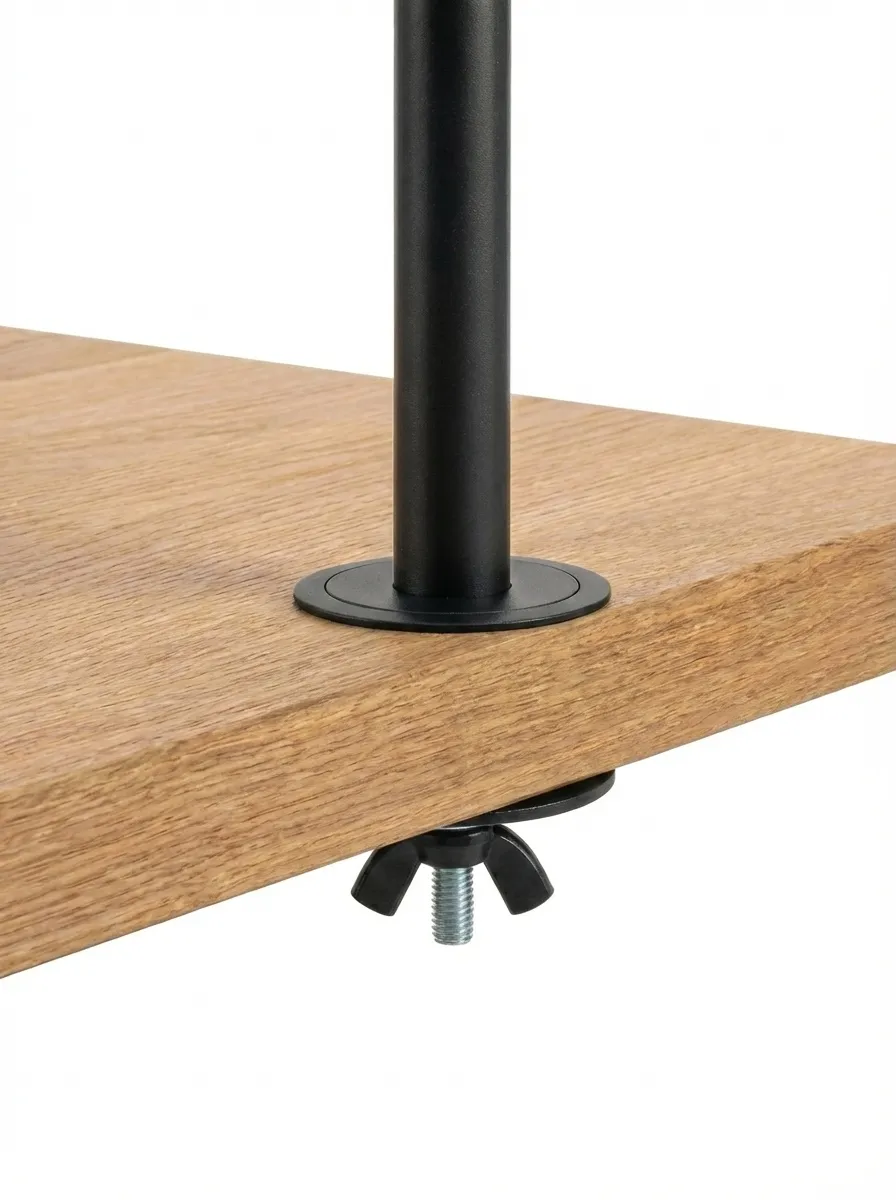
Attachment using a threaded bolt through a drilled hole or cable grommet.
- Advantage: Maximum stability, optically integrated ("Clean Desk").
- Disadvantage: Requires a hole in the desk top.
5. Relevance of Table Surface Composition
The leverage forces exerted by a monitor mount on the desk top are significant. An analysis of the carrier material is therefore unavoidable:
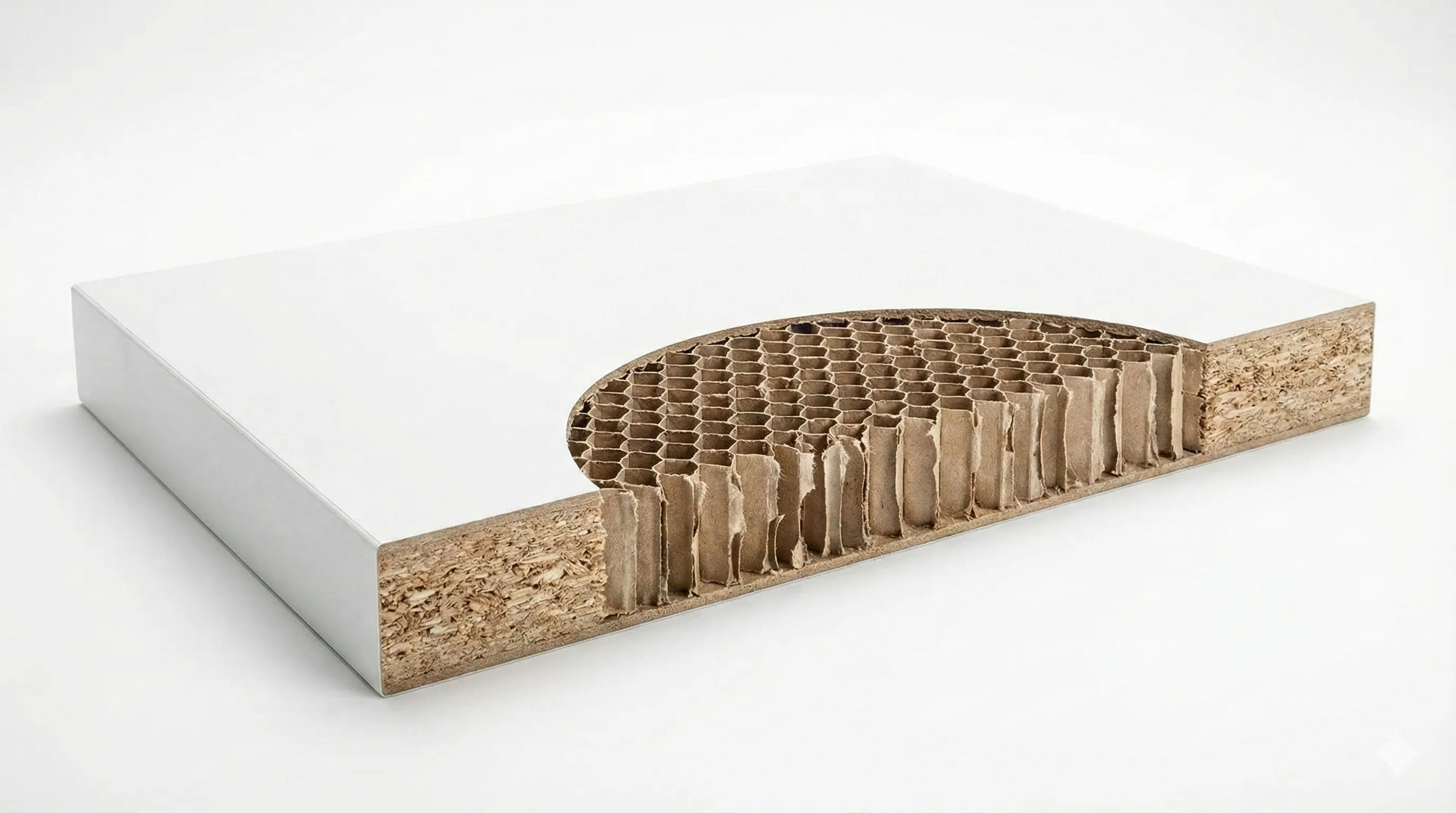
Often found in lightweight furniture (e.g., IKEA). The interior is hollow.
Solution: Mandatory use of load distribution plates.

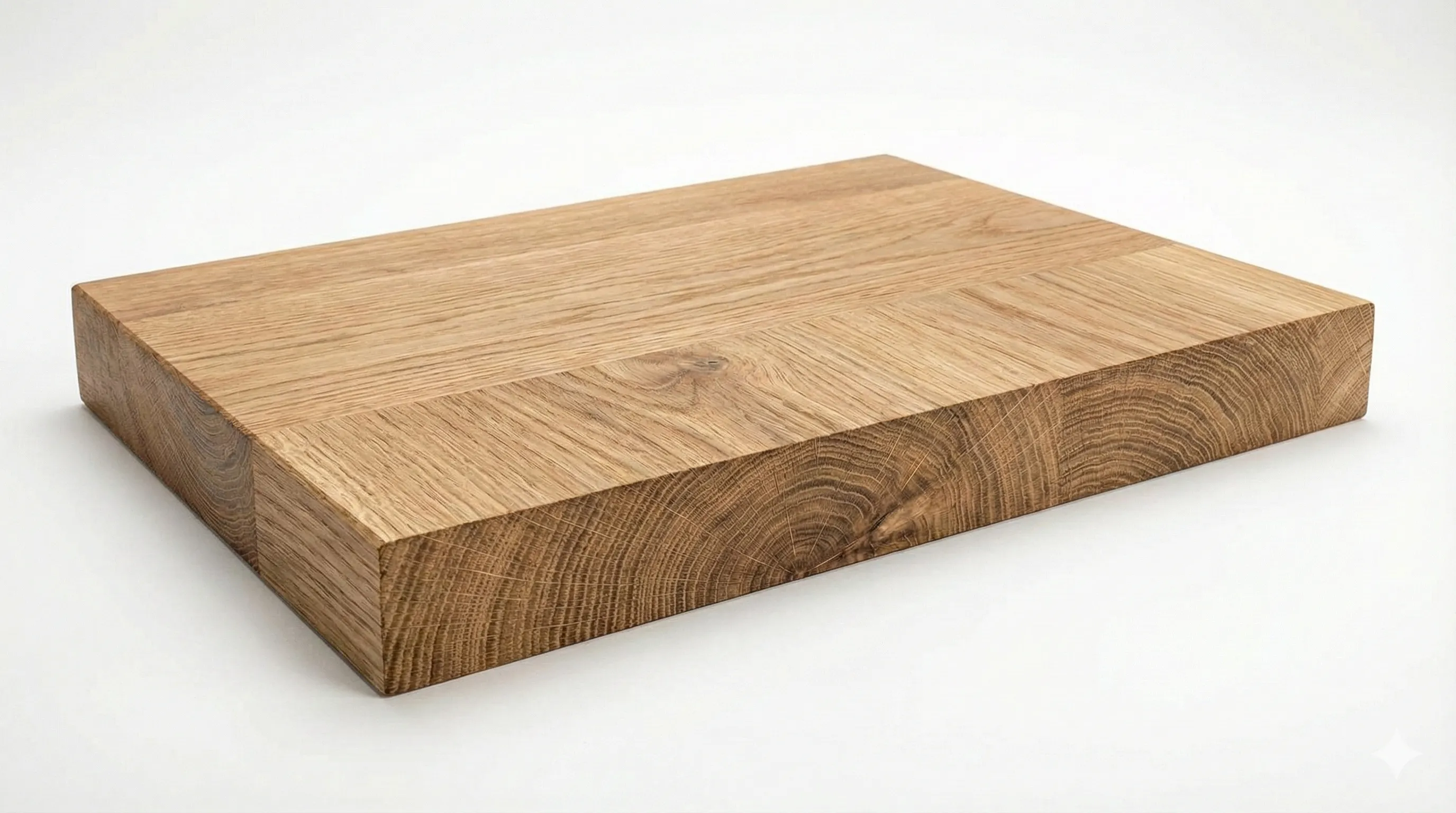
Optimal surface. The board should have a thickness of at least 20mm.
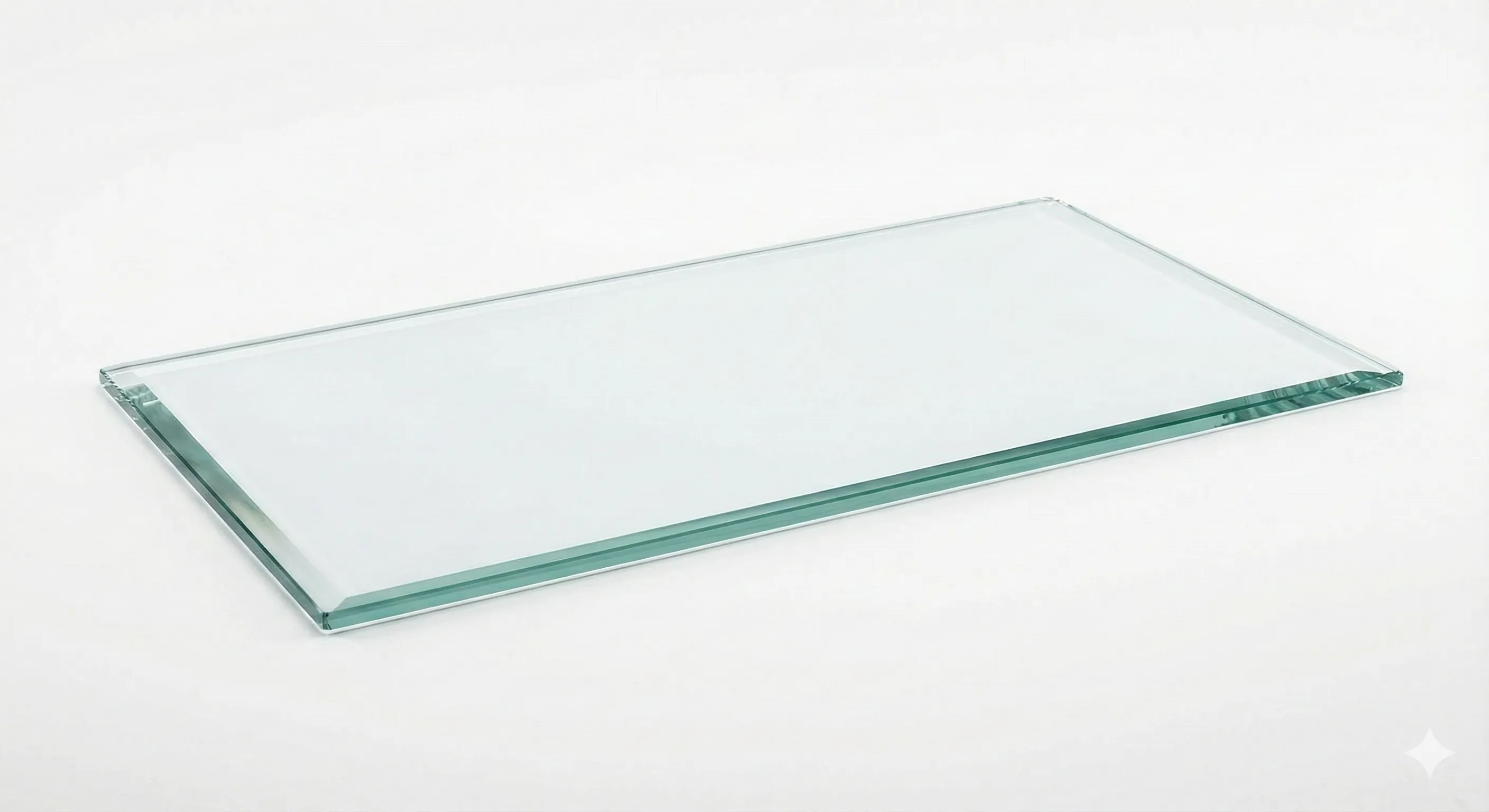
Not recommended. Glass tolerates punctual pressure loads insufficiently.