We deliver all over europe
  • Business customer?
  • info@vesa-adapter.com
  • en en
    de Deutsch fr Français it Italiano es Español
  • GBP GBP
    EUR EUR USD USD
  • Register or Sign in
vesa-adapter.com
vesa-adapter.com
  • Monitor Mounts
    • Desk Mounts
    • Wall Mounts
    • Monitor Stands
    • Accessories
  • TV Mounts
    • TV Ceiling Mounts
    • TV Stands & Floor Stands
    • TV Wall Mounts
  • VESA Adapters
    • Acer
    • AOC
    • ASUS
    • BenQ
    • CSL
    • DELL
    • HP
    • HP Omen
    • Huawei
    • Koorui
    • Lenovo
    • LC-Power
    • MSI
    • ODYS
    • Philips
    • Samsung
    • Viewsonic
    • Xiaomi
  • VESA Extensions
    • VESA Adapter Plates
    • VESA Spacers
    • Height Adjustable VESA Adapters
  • Device Mounts
    • Camera Mounts
    • PC Mounts
    • Soundbar Mounts
  • Accessories
    • Screen Cleaners
    • Cable Management
    • Screws & Mounting Sets
    • Extension Arms
  • Ergonomics Guide
    • 1. Introduction to ergonomics
    • Ergonomics in the workplace
    • 2. Technology and ergonomics
    • VESA Standard
    • Inches to CM Calculator
    • All VESA standards
    • VESA monitor mount
    • Identify VESA standard
    • VESA Adapter for gaming
    • 3. FAQ
    • FAQ about VESA standard
    • 4. VESA adapter
    • VESA adapter Acer
    • VESA adapter AOC
    • VESA adapter ASUS
    • VESA adapter BenQ
    • VESA adapter CSL
    • VESA adapter DELL
    • VESA adapter HP
    • VESA adapter Odys
    • VESA adapter LC-Power
    • VESA adapter HP Omen
    • VESA adapter HUAWEI
    • VESA adapter Koorui
    • VESA adapter Lenovo
    • VESA adapter MSI
    • VESA adapter Philips
    • VESA adapter Samsung
    • VESA adapter Viewsonic / Medion
    • 5. News
    • VESA for ODYS Q27 und Q27 Pro Monitor
    • VESA for LC-Power LC-M27 monitor
    • 6. Wissen & Technik
    • Focus on monitor mounts: Mechanics, assembly, and stability
    • Single Monitor Desk Mount Comparison
    • Monitor Mount for 2 Monitors comparison (Desktop Mount)
    • The perfect home office setup
    • VESA Adapters for every Monitor
    • Ultrawide & Curved Monitore sicher montieren: Der
    • TV Wandhalterung sicher montieren
    • TV Halterung im Wohnmobil
  • en en
    de Deutsch fr Francais it Italiano es Español
  • GBP GBP
    EUR EUR USD USD
  • Monitor Mounts
    Desk Mounts
    Wall Mounts
    Monitor Stands
    Accessories
  • TV Mounts
    TV Ceiling Mounts
    TV Stands & Floor Stands
    TV Wall Mounts
  • VESA Adapters
    Acer AOC ASUS BenQ CSL
    DELL HP HP Omen Huawei Koorui
    Lenovo LC-Power MSI ODYS Philips
    Samsung Viewsonic Xiaomi
  • VESA Extensions
    VESA Adapter Plates
    VESA Spacers
    Height Adjustable VESA Adapters
  • Device Mounts
    Camera Mounts
    PC Mounts
    Soundbar Mounts
  • Accessories
    Screen Cleaners
    Cable Management
    Screws & Mounting Sets
    Extension Arms
  • Ergonomics Guide
    1. Introduction to ergonomics
    • Ergonomics in the workplace
    2. Technology and ergonomics
    • VESA Standard
    • Inches to CM Calculator
    • All VESA standards
    • VESA monitor mount
    • Identify VESA standard
    • VESA Adapter for gaming
    3. FAQ
    • FAQ about VESA standard
    4. VESA adapter
    • VESA adapter Acer
    • VESA adapter AOC
    • VESA adapter ASUS
    • VESA adapter BenQ
    • VESA adapter CSL
    • VESA adapter DELL
    • VESA adapter HP
    • VESA adapter Odys
    • VESA adapter LC-Power
    • VESA adapter HP Omen
    • VESA adapter HUAWEI
    • VESA adapter Koorui
    • VESA adapter Lenovo
    • VESA adapter MSI
    • VESA adapter Philips
    • VESA adapter Samsung
    • VESA adapter Viewsonic / Medion
    5. News
    • VESA for ODYS Q27 und Q27 Pro Monitor
    • VESA for LC-Power LC-M27 monitor
    6. Wissen & Technik
    • Focus on monitor mounts: Mechanics, assembly, and stability
    • Single Monitor Desk Mount Comparison
    • Monitor Mount for 2 Monitors comparison (Desktop Mount)
    • The perfect home office setup
    • VESA Adapters for every Monitor
    • Ultrawide & Curved Monitore sicher montieren: Der
    • TV Wandhalterung sicher montieren
    • TV Halterung im Wohnmobil
Business customer?
Business customer?
  1. Home
  2. Monitor Mount for 2 Monitors comparison (Desktop Mount)
vesa-adapter.com COMPARISON

The Best Dual Monitor Mounts: Tech & Price

📅 As of: Jan 6, 2026 ✍️ Editorial: Julius E. 🛡️ How we test

We compare current models in the category Dual Monitor Mounts (dual arms for 13–49 inches) regarding load capacity, synchronous adjustment, and stability. Our compact test helps you immediately find the right monitor arm for 2 monitors for your multitasking or gaming setup.

Model & Recommendation Load & Physics Flexibility Mounting & VESA Price / Verdict
#1
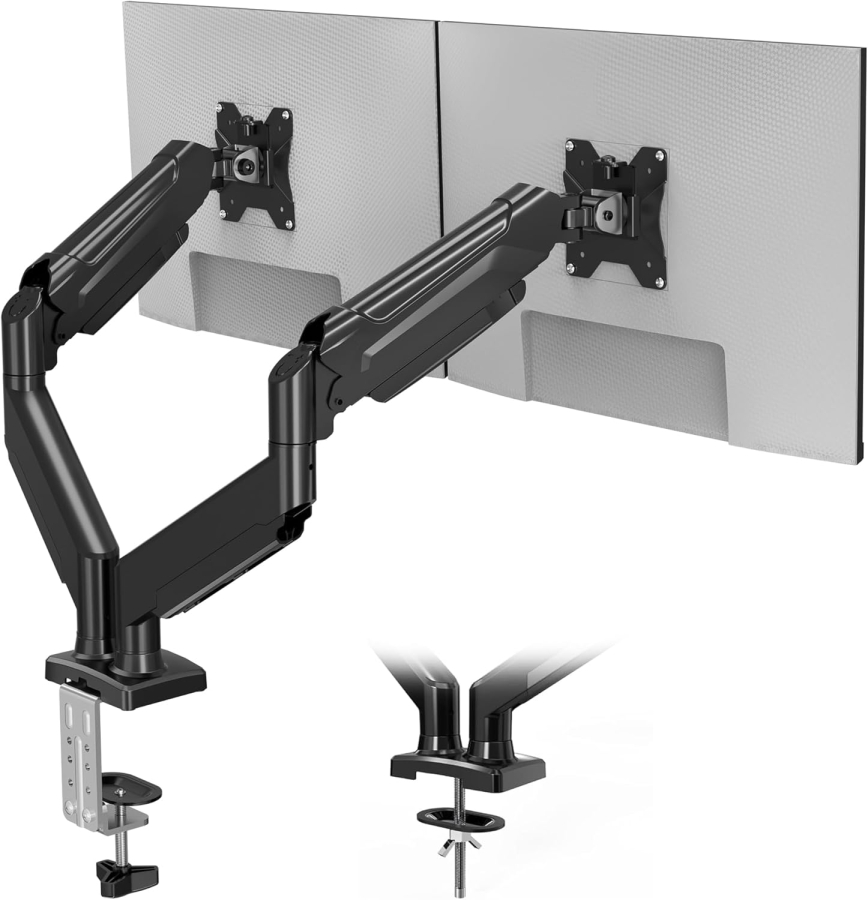
BONTEC Dual Monitor Mount Gas Spring for 2 MonitorsBONTEC Dual Gas Spring (13-32")🏆 Best Value Winner
9 kg
per arm
up to 32"
max. size

min. 2.0 kg
  • Tilt: +/- 90°
  • Swivel: +/- 90°
  • Rotation: 360°
  • Arms: Independent
  • Mechanism: GAS SPRING
  • VESA: 75x75 / 100x100
  • Mount: C-Clamp & Grommet
  • Desk: 10 - 80 mm
  • Material: Steel / Alu
✅ Ideal for:
Home Office (2 Monitors)
46.78 €
In Stock ✔
Over 500 sold
1.3 Very Good
To Deal Arrow right
Further details & technical specs ▼

Technical Details: BONTEC Dual Gas Spring

1. Load Capacity: 9 kg per arm
2. Monitor Size: 13 - 32 inches
3. Mechanism: Gas Spring
4. VESA: 75x75 & 100x100
5. Tilt: +/- 90°
6. Mounting: C-Clamp & Grommet
7. Special Feature: Independent Arms
💬 Our Evaluation

"The BONTEC Dual Monitor Mount is our best value winner for dual setups. Thanks to the gas springs, you can move both monitors (up to 32 inches) independently of each other – perfect for ergonomic work with two screens at an unbeatable price."

#2
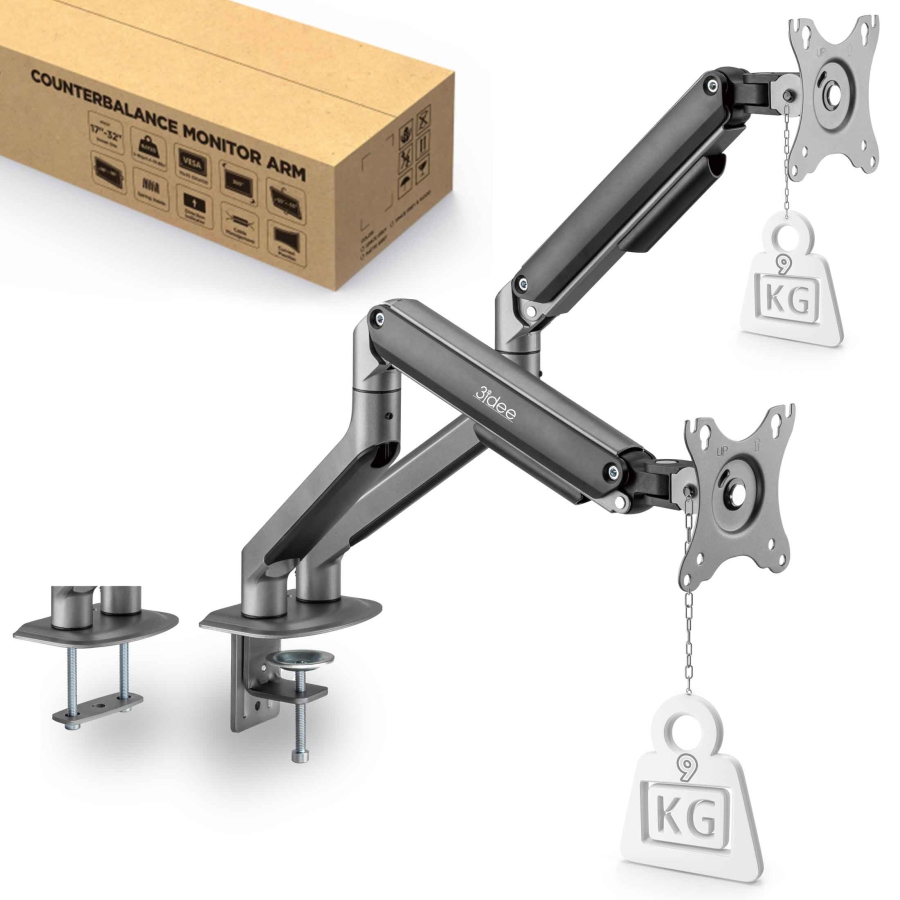
White Dual Monitor Mount 3idee FlexiLite Design3idee FlexiLite Dual (AV2063)
9 kg
per arm
up to 32"
max. size

min. 2.6 kg
  • Tilt: +90° / -45°
  • Swivel: +/- 90°
  • Rotation: 360°
  • Mechanism: SPRING
  • VESA: 75x75 / 100x100
  • Mount: C-Clamp & Grommet
  • Desk: 10 - 80 mm
  • Material: Steel / Alu
✅ Ideal for:
Stylish Office Setups
64.90 €
In Stock ✔
Over 150 sold
1.6 Good
To Deal Arrow right
Further details & technical specs ▼

Technical Details: 3idee FlexiLite Dual

1. Load Capacity: 2 - 9 kg per arm
2. Monitor Size: 17 - 32 inches
3. Mechanism: Mechanical Spring
4. VESA: 75x75 & 100x100
5. Tilt: +90° / -45°
6. Swivel: +/- 90°
7. Rotation: 360°
8. Height Path: 292 mm (stepless)
9. Mounting: Standard
10. Desk Thickness: 10 - 80 mm
11. Net Weight: 2.6 kg
12. Special Feature: Quick-Release
💬 Our Evaluation

"Those who value design should choose the 3idee FlexiLite Dual. The mechanical springs work silently and the modern white finish fits perfectly in bright offices or Apple setups."

#3
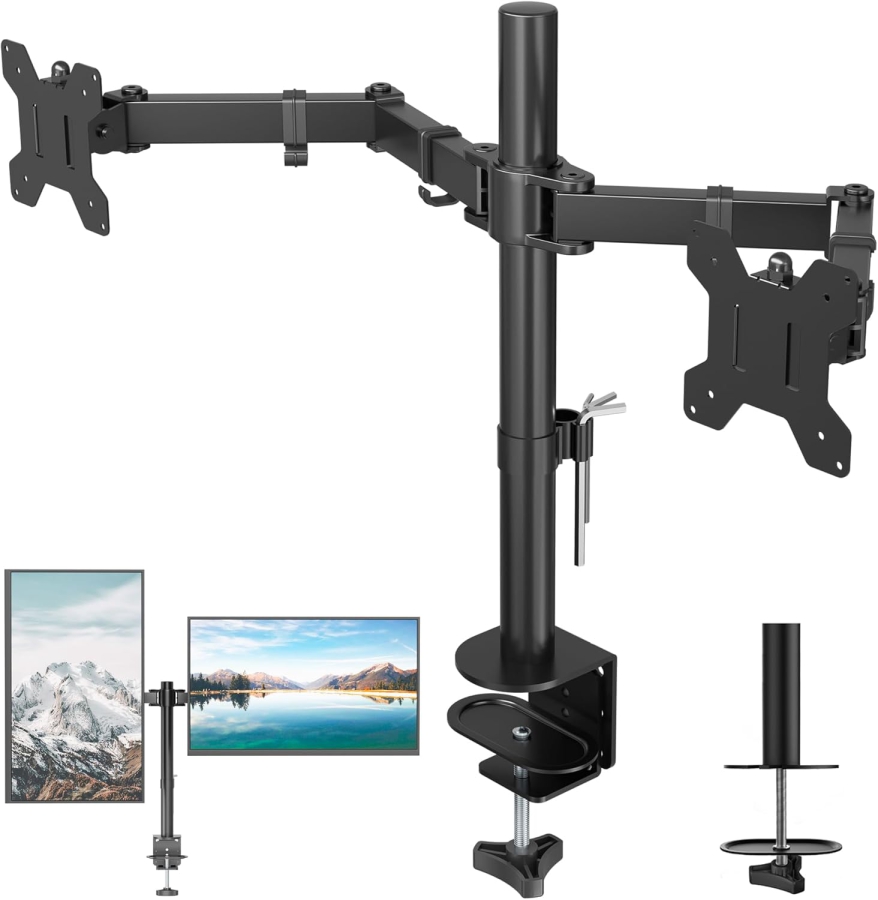
BONTEC Manual DualBONTEC Universal Dual (13-27")
10 kg
per arm
up to 27"
max. size

min. 0 kg
  • Tilt: +/- 90°
  • Swivel: +/- 90°
  • Rotation: 360°
  • Height: Manual (Pole)
  • Mechanism: MANUAL
  • VESA: 75x75 / 100x100
  • Mount: C-Clamp & Grommet
  • Desk: 10 - 100 mm
  • Material: Steel
✅ Ideal for:
Static Use (Budget)
43.72 €
In Stock ✔
Over 200 sold
1.9 Good
To Deal Arrow right
Further details & technical specs ▼

Technical Details: BONTEC Universal Dual

1. Load Capacity: 10 kg per arm
2. Monitor Size: 13 - 27 inches
3. Mechanism: Manual (Pole)
4. VESA: 75x75 & 100x100
5. Tilt: +/- 90°
6. Swivel: +/- 90°
7. Rotation: 360°
8. Special Feature: Very stable (Steel)
💬 Our Evaluation

"The BONTEC Universal Dual is the robust choice for static workstations. If you set your monitors once and rarely move them, this is the most affordable and stable solution."

#4
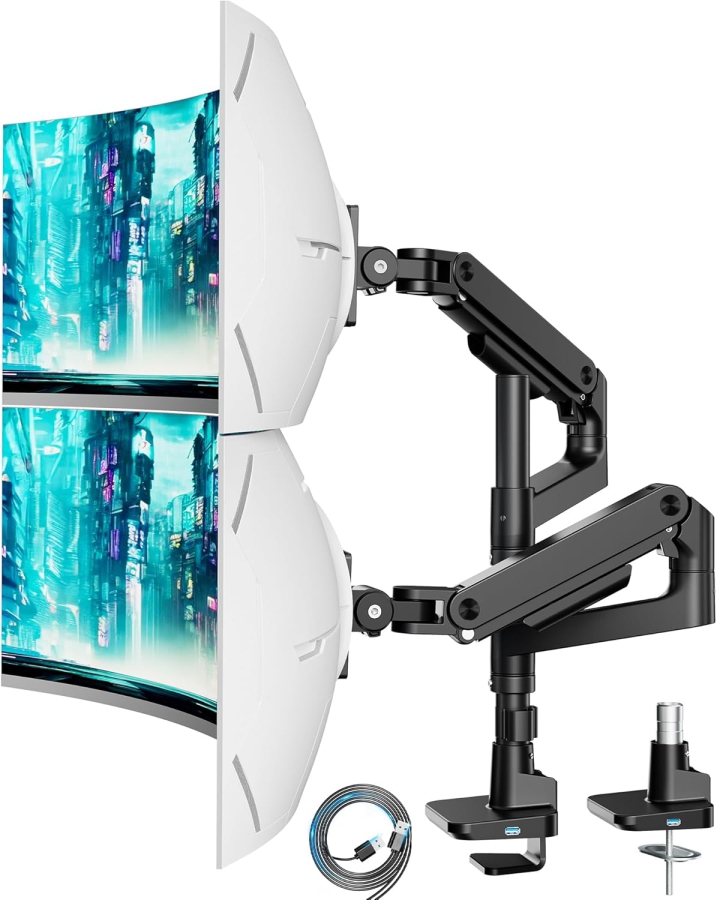
ARES WING Gaming DualARES WING Gaming Dual
20 kg
per arm
up to 49"
max. size

Heavy Duty
  • Tilt: +50° / -20°
  • Swivel: +/- 90°
  • Rotation: 360°
  • USB: Integrated
  • Mechanism: GAS SPRING
  • VESA: 75x75 / 100x100
  • Mount: C-Clamp & Grommet
  • Desk: 12 - 50 mm
  • Material: Steel / Alu
✅ Ideal for:
Heavy Ultrawide & Gaming
169.99 €
In Stock ✔
Over 200 sold
2.0 Good
To Deal Arrow right
Further details & technical specs ▼

Technical Details: ARES WING Gaming

1. Load Capacity: 20 kg per arm
2. Monitor Size: 17 - 49 inches
3. Mechanism: Gas Spring
4. VESA: 75x75 & 100x100
5. Feature: Integrated USB ports
6. Special Feature: Extreme Load Capacity
💬 Our Evaluation

"The powerhouse for gamers: The ARES WING Gaming securely holds even the heaviest 49-inch ultrawide monitors. With USB ports and gas springs, it's the perfect foundation for your high-end setup."

#5
ARES WING VerticalARES WING Vertical (Stacking)
20 kg
per arm
up to 49"
max. size

Vertical mgl.
  • Tilt: +50° / -20°
  • Swivel: 180°
  • Rotation: 360°
  • Mode: Stacking
  • Mechanism: GAS SPRING
  • VESA: 75x75 / 100x100
  • Mount: C-Clamp & Grommet
  • Desk: 12 - 50 mm
  • Material: Steel / Alu
✅ Ideal for:
Stacked Arrangement
212.57 €
In Stock ✔
Over 260 sold
2.1 Good
To Deal Arrow right
Further details & technical specs ▼

Technical Details: ARES WING Vertical

1. Load Capacity: 20 kg per arm
2. Monitor Size: 17 - 49 inches
3. Mechanism: Gas Spring
4. VESA: 75x75 & 100x100
5. Orientation: Vertical & Horizontal
6. Special Feature: Stacking (On top)
💬 Our Evaluation

"The only solution if you want to stack two huge 49-inch monitors on top of each other. The ARES WING Vertical offers massive stability and an extra tall pole for vertical setups."

#6
ErgoUnion Alu DualErgoUnion Alu Dual
11.3 kg
per arm
up to 40"
max. size

min. 3.2 kg
  • Tilt: +/- 90°
  • Swivel: +/- 90°
  • Rotation: 360°
  • Material: Aluminum
  • Mechanism: SPRING
  • VESA: 75x75 / 100x100
  • Mount: C-Clamp & Grommet
  • Desk: 10 - 64 mm
  • Material: Full Aluminum
✅ Ideal for:
Premium Design Standards
263.43 €
In Stock ✔
Over 250 sold
2.3 Good
To Deal Arrow right
Further details & technical specs ▼

Technical Details: ErgoUnion Alu Dual

1. Load Capacity: 11.3 kg per arm
2. Monitor Size: 13 - 40 inches
3. Mechanism: Premium Spring
4. VESA: 75x75 & 100x100
5. Tilt: +/- 90°
6. Material: Polished Aluminum
7. Special Feature: Noble Design
💬 Our Evaluation

"The ErgoUnion Dual is the choice for aesthetes. Made of polished aluminum, it combines elegant design with high load capacity. Perfect if your desk is also meant to be an optical statement."

✨ Buyer's Guide: Your 3-Step Guide

Find the perfect dual monitor mount in three simple steps:

  1. Size & Orientation: Do you want to arrange your monitors side by side (standard) or stacked? For "stacked," you need an extra tall pole (like with the ARES WING Vertical).
  2. Leverage & Stability: Two monitors weigh twice as much! Look for a massive desk clamp and, if using thin or hollow desk surfaces (e.g., honeycomb structure), be sure to use a reinforcement plate for pressure distribution.
  3. Space at the Back: Gas spring arms often protrude backwards beyond the desk ("elbow effect"). If your desk is directly against the wall, a space-saving version like the "BONTEC short arm" or a pole solution is often better.
✨ Summary

The key takeaways for your dual monitor setup:

  • Best Value: The BONTEC Dual Gas Spring offers maximum flexibility for two monitors at a low price.
  • Heavy Duty: For huge setups (up to 49 inches), the ARES WING Series (Horizontal or Vertical) is unrivaled in strength.
  • Design: For those preferring a clean, white look, choose the 3idee FlexiLite.
  • Budget: For static workstations without frequent adjustments, the affordable BONTEC Manual is completely sufficient.

💡 Expert Tip

Do you need a single monitor mount?

If a dual setup doesn't meet your needs, we recommend our detailed comparison test for single monitor mounts. Find the optimal solution for your workplace here.

To comparison: Single Monitor Mounts ➔

vesa-adapter.com Expert Knowledge: FAQs about Dual Monitor Mounts

How are the ratings and winners determined?+
Transparency is important to us. Our team physically tests monitor mounts for stability, ease of assembly, and VESA accuracy. The "Best Value" winner is based on an algorithm considering test score and current market price. We simulate typical home office scenarios as well as maximum load for gaming setups.
Do both monitors need the same VESA size?+
Not necessarily, but it makes mounting easier. Most dual arms have a combined 75x75/100x100mm interface. If a monitor has a different size, you can simply use a VESA adapter. It is more important that the weight of both monitors is within the load capacity.
Why gas spring is especially important for two monitors+
With two monitors, fine-tuning is often difficult: "Why aren't they at the same height?". With rigid arms, this is often a struggle. Gas spring arms allow you to adjust each monitor individually to the millimeter until they are perfectly flush – a must for aesthetes!
Can my desk handle the double weight?+
Two monitors plus the mount can quickly weigh 15-20kg. On a small area (the clamp), this is a lot of pressure. With solid wood, this is no problem. For lightweight honeycomb plates (IKEA Linmon etc.), there is a risk of breakage! Here, our reinforcement plate is mandatory to distribute the load over a larger area.
Can I also mount Curved monitors?+
Yes, absolutely. However, keep in mind that Curved monitors often feel a bit heavier due to their center of gravity and require more depth. We recommend that you do not fully exploit the maximum weight limit of the mount for Curved screens. The ARES WING, for example, is excellently suited for heavy Curved monitors.
What is the difference between C-clamp and Grommet mounting?+
The C-clamp is screwed to the edge of the desk (no drilling required). Grommet mounting is secured through a hole in the desk. The latter often looks "cleaner" and allows mounting in the middle of the desk, but requires a hole. Our sets usually contain both options.
My monitor is lowering by itself – is the mount broken?+
No, that is usually just an adjustment issue. With gas springs, you must adjust the tension to the weight of your monitor. There is an adjustment screw on the joint. Turn it towards "+" to increase the spring force until the monitor floats.
Is mounting hardware included?+
Yes, at vesa-adapter.com we place great emphasis on completeness. All required screws for monitor and desk, as well as Allen keys, are included. You usually only need a Phillips screwdriver.
How much space do two monitors need?+
That depends on the arrangement. Side by side, two 27-inch monitors need about 1.20m to 1.40m in width. If you angle them (Curved setup), slightly less, but more depth. Make sure your desk is wide enough so the monitors don't overhang.
Can I use a monitor vertically (portrait mode)?+
Yes, absolutely. Almost all our dual mounts have a 360° swivel joint (pivot function). You can rotate each monitor individually from landscape to portrait – ideal for programmers, reading long texts, or for Excel lists.
Do the monitors wobble when typing?+
With high-quality mounts (like our BONTEC winner or the ARES WING), wobbling is minimal. A stable desk surface is crucial. With very thin or shaky desks (e.g., light standing desks), vibrations can be transmitted. Tightening the joints a bit often helps here.
Can I attach the mount to a glass table?+
We generally advise against this. The point load of the clamp can cause the glass to crack. If you want to risk it anyway (at your own risk), definitely use large reinforcement plates on top and bottom as well as rubber mats to distribute the pressure. Better: A special adapter or a separate stand.
How much wall distance is needed (desk against the wall)?+
This is an important point! Gas spring arms often bend backwards ("elbow"). If your desk is directly against the wall, you need about 10-15 cm of space to the wall to move the arms fully. Alternatively: Choose a mount with shorter arms or pull the desk slightly away from the wall.
Can I also mount a laptop on the second arm?+
Yes, that is a very popular setup! You only need a laptop tray with a VESA interface. You screw this onto the arm instead of the second monitor. This way, your laptop floats ergonomically next to your main monitor.
Do two 34-inch ultrawide monitors fit side by side?+
That depends on the arm length. Standard dual arms are often only designed for up to 27 or 32 inches. For two 34-inch ultrawides side by side, you need a mount with particularly long arms or "heavy-duty" reach (like the ARES WING), so they don't block each other in the middle or you can't angle them enough.
Do monitor mounts leave marks on the desk?+
The clamps are usually padded with foam or rubber to prevent scratches. On soft wood (pine, spruce), the high pressure can leave slight marks over the years. Our reinforcement plate reliably prevents this by distributing the pressure over a larger area.
Can I mount the bracket on the side of the desk?+
Yes, the C-clamp can be attached to any side of the desk as long as no desk legs or frames are in the way. This is often practical for corner desks or very deep desks to bring the monitors closer.
Why buy from vesa-adapter.com?+
We are specialists. Unlike large general retailers, we know every product. We test the load limits ourselves, offer support, and ensure you get exactly the mount that safely carries your expensive equipment.
Your cart
Subtotal: 0,00 £
Fingerprint
Chat on Whatsapp

Sign up to our newsletter

for important news, great offers and insights from the VESA Adapter Team

vesa-adapter.com
vesa-adapter.com
3idee SARL
19, Rue de Bitbourg
1273 Luxembourg
Luxembourg
info@vesa-adapter.com
Live Chat

Support

  • Return
  • Goods not arrived
  • Product damaged
  • FAQ
  • Assembly instructions

Information

  • About us
  • Shipping
  • Privacy policy
  • Our Terms & Conditions
  • Imprint
  • Right of withdrawal

Find it fast

  • Acer
  • AOC
  • ASUS
  • BenQ
  • CSL
  • DELL
  • HP
  • HP Omen
  • Huawei


  • Koorui
  • Lenovo
  • LC-Power
  • MSI
  • ODYS
  • Philips
  • Samsung
  • Viewsonic
  • Xiaomi
© 2026 - 3idee Sàrl
Paypal AmazonPay klarna Visa Mastercard American Express Discover Diners Club Carte Bancaire JCB Union Pay eps iDeal bancontact Przelewy24

Hello, welcome back

Login to manage your account.

Forgot passwort?
No account yet? Register now

Welcome to vesa-adapter.com

Complete the form to create an account

You already have an account? Login

Forgot passwort?

Enter your email address and we will send you an email with your new password.

You remember again? Login