We deliver all over europe
  • Business customer?
  • info@vesa-adapter.com
  • en en
    de Deutsch fr Français it Italiano es Español
  • GBP GBP
    EUR EUR USD USD
  • Register or Sign in
vesa-adapter.com
vesa-adapter.com
  • Monitor Mounts
    • Desk Mounts
    • Wall Mounts
    • Monitor Stands
    • Accessories
  • TV Mounts
    • TV Ceiling Mounts
    • TV Stands & Floor Stands
    • TV Wall Mounts
  • VESA Adapters
    • Acer
    • AOC
    • ASUS
    • BenQ
    • CSL
    • DELL
    • HP
    • HP Omen
    • Huawei
    • Koorui
    • Lenovo
    • LC-Power
    • MSI
    • ODYS
    • Philips
    • Samsung
    • Viewsonic
    • Xiaomi
  • VESA Extensions
    • VESA Adapter Plates
    • VESA Spacers
    • Height Adjustable VESA Adapters
  • Device Mounts
    • Camera Mounts
    • PC Mounts
    • Soundbar Mounts
  • Accessories
    • Screen Cleaners
    • Cable Management
    • Screws & Mounting Sets
    • Extension Arms
  • Ergonomics Guide
    • 1. Introduction to ergonomics
    • Ergonomics in the workplace
    • 2. Technology and ergonomics
    • VESA Standard
    • Inches to CM Calculator
    • All VESA standards
    • VESA monitor mount
    • Identify VESA standard
    • VESA Adapter for gaming
    • 3. FAQ
    • FAQ about VESA standard
    • Der große TV-Halterung FAQ-Guide
    • 4. VESA adapter
    • VESA adapter Acer
    • VESA adapter AOC
    • VESA adapter ASUS
    • VESA adapter BenQ
    • VESA adapter CSL
    • VESA adapter DELL
    • VESA adapter HP
    • VESA adapter Odys
    • VESA adapter LC-Power
    • VESA adapter HP Omen
    • VESA adapter HUAWEI
    • VESA adapter Koorui
    • VESA adapter Lenovo
    • VESA adapter MSI
    • VESA adapter Philips
    • VESA adapter Samsung
    • VESA adapter Viewsonic / Medion
    • 5. News
    • VESA for ODYS Q27 und Q27 Pro Monitor
    • VESA for LC-Power LC-M27 monitor
    • 6. Wissen & Technik
    • Focus on monitor mounts: Mechanics, assembly, and stability
    • Single Monitor Desk Mount Comparison
    • Monitor Mount for 2 Monitors comparison (Desktop Mount)
    • The perfect home office setup
    • VESA Adapters for every Monitor
    • Ultrawide & Curved Monitore sicher montieren: Der
    • Securely mounting a TV wall mount
    • Top 3 flat TV wall mounts
    • TV Halterung im Wohnmobil
  • en en
    de Deutsch fr Francais it Italiano es Español
  • GBP GBP
    EUR EUR USD USD
  • Monitor Mounts
    Desk Mounts
    Wall Mounts
    Monitor Stands
    Accessories
  • TV Mounts
    TV Ceiling Mounts
    TV Stands & Floor Stands
    TV Wall Mounts
  • VESA Adapters
    Acer AOC ASUS BenQ CSL
    DELL HP HP Omen Huawei Koorui
    Lenovo LC-Power MSI ODYS Philips
    Samsung Viewsonic Xiaomi
  • VESA Extensions
    VESA Adapter Plates
    VESA Spacers
    Height Adjustable VESA Adapters
  • Device Mounts
    Camera Mounts
    PC Mounts
    Soundbar Mounts
  • Accessories
    Screen Cleaners
    Cable Management
    Screws & Mounting Sets
    Extension Arms
  • Ergonomics Guide
    1. Introduction to ergonomics
    • Ergonomics in the workplace
    2. Technology and ergonomics
    • VESA Standard
    • Inches to CM Calculator
    • All VESA standards
    • VESA monitor mount
    • Identify VESA standard
    • VESA Adapter for gaming
    3. FAQ
    • FAQ about VESA standard
    • Der große TV-Halterung FAQ-Guide
    4. VESA adapter
    • VESA adapter Acer
    • VESA adapter AOC
    • VESA adapter ASUS
    • VESA adapter BenQ
    • VESA adapter CSL
    • VESA adapter DELL
    • VESA adapter HP
    • VESA adapter Odys
    • VESA adapter LC-Power
    • VESA adapter HP Omen
    • VESA adapter HUAWEI
    • VESA adapter Koorui
    • VESA adapter Lenovo
    • VESA adapter MSI
    • VESA adapter Philips
    • VESA adapter Samsung
    • VESA adapter Viewsonic / Medion
    5. News
    • VESA for ODYS Q27 und Q27 Pro Monitor
    • VESA for LC-Power LC-M27 monitor
    6. Wissen & Technik
    • Focus on monitor mounts: Mechanics, assembly, and stability
    • Single Monitor Desk Mount Comparison
    • Monitor Mount for 2 Monitors comparison (Desktop Mount)
    • The perfect home office setup
    • VESA Adapters for every Monitor
    • Ultrawide & Curved Monitore sicher montieren: Der
    • Securely mounting a TV wall mount
    • Top 3 flat TV wall mounts
    • TV Halterung im Wohnmobil
Business customer?
Business customer?
  1. Home
  2. Ultrawide & Curved Monitore sicher montieren: Der
vesa-adapter.com GUIDE

VESA Adapter Guide: Mounting a Curved Monitor Safely – 5 Mistakes Almost Everyone Makes

📅 Updated: 01/15/2026 ✍️ Editor: Julius E. ⏱️ Read time: approx. 8 min.

Are you planning to attach your Samsung Odyssey or Xiaomi Curved Monitor to a mount? Be careful: Many standard rules do not apply to curved displays. We'll show you the 5 most common mistakes that can compromise stability – and how to install your setup safely from the start.
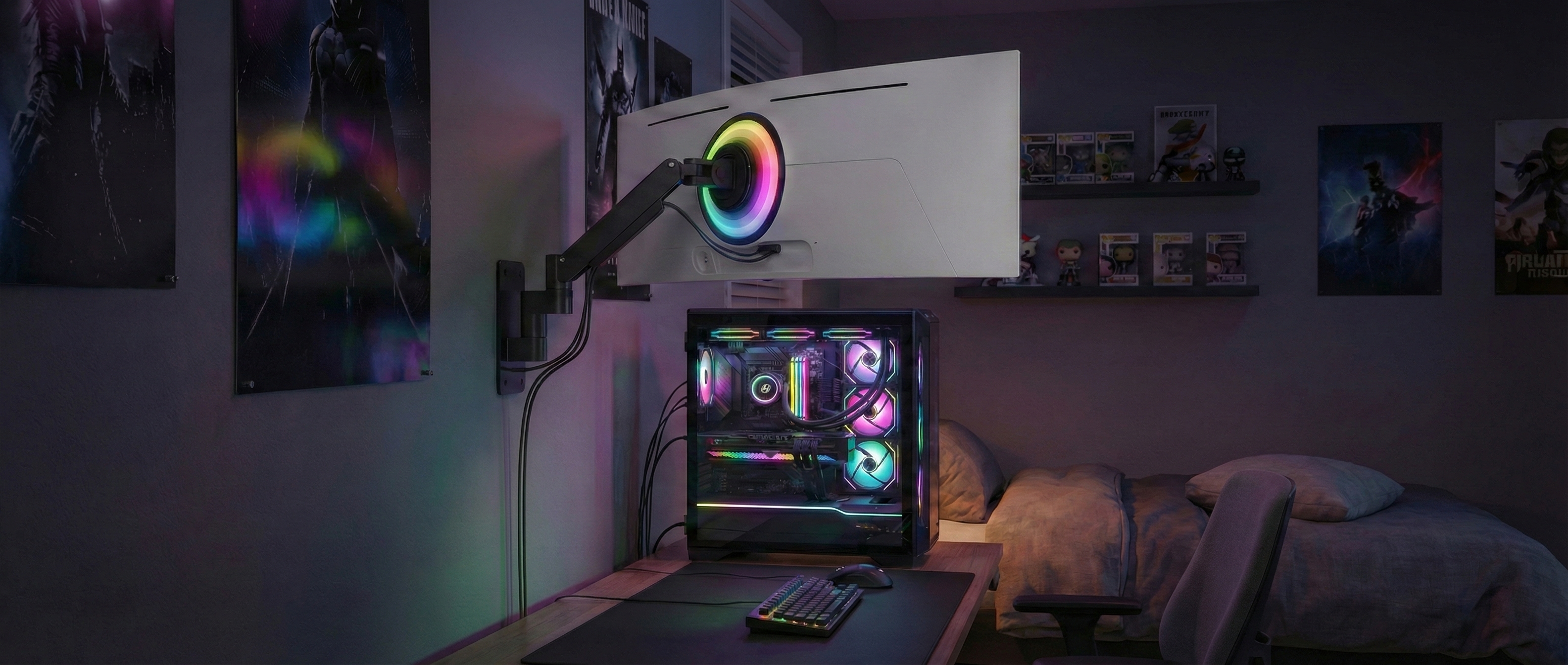
Samsung Odyssey G9 Ultrawide safely mounted on wall mount
✨ Summary

Avoid these risks:

  • Mistake 1: Focusing only on weight (kg) and ignoring leverage.
  • Mistake 2: Choosing an unsuitable surface (drywall, glass, honeycomb tables).
  • Mistake 3: Mounting the VESA plate under tension in the recess.
  • Mistake 4: Underestimating vibrations on a SimRig.
  • Mistake 5: Not tightening the tilt screw sufficiently.

📑 Table of Contents (Navigation)

1. The Weight ↓ 2. The Surface ↓ 3. The VESA Plate ↓ 4. SimRig Vibration ↓ 5. Assembly Mistakes ↓

💡 Technical Basics: Want to understand exactly how the mechanics inside the arms work? Read our technical guide on monitor arms here.

Mistake #1: Blind trust in the kilogram specification

"Load capacity up to 9kg" is on the box, your monitor weighs 8kg. Is everything settled? Unfortunately, no. With curved monitors, this calculation is deceptively simple.

⚖️ The Problem: Center of Gravity

With flat monitors, the weight is directly at the mount. With curved monitors, the center of gravity (CoG) shifts up to 15 cm forward into the room.

🔄 The Consequence: Leverage Effect

Force times lever arm: The distance creates strong torque. An 8kg curved monitor often loads the joint like a 12kg flat screen.
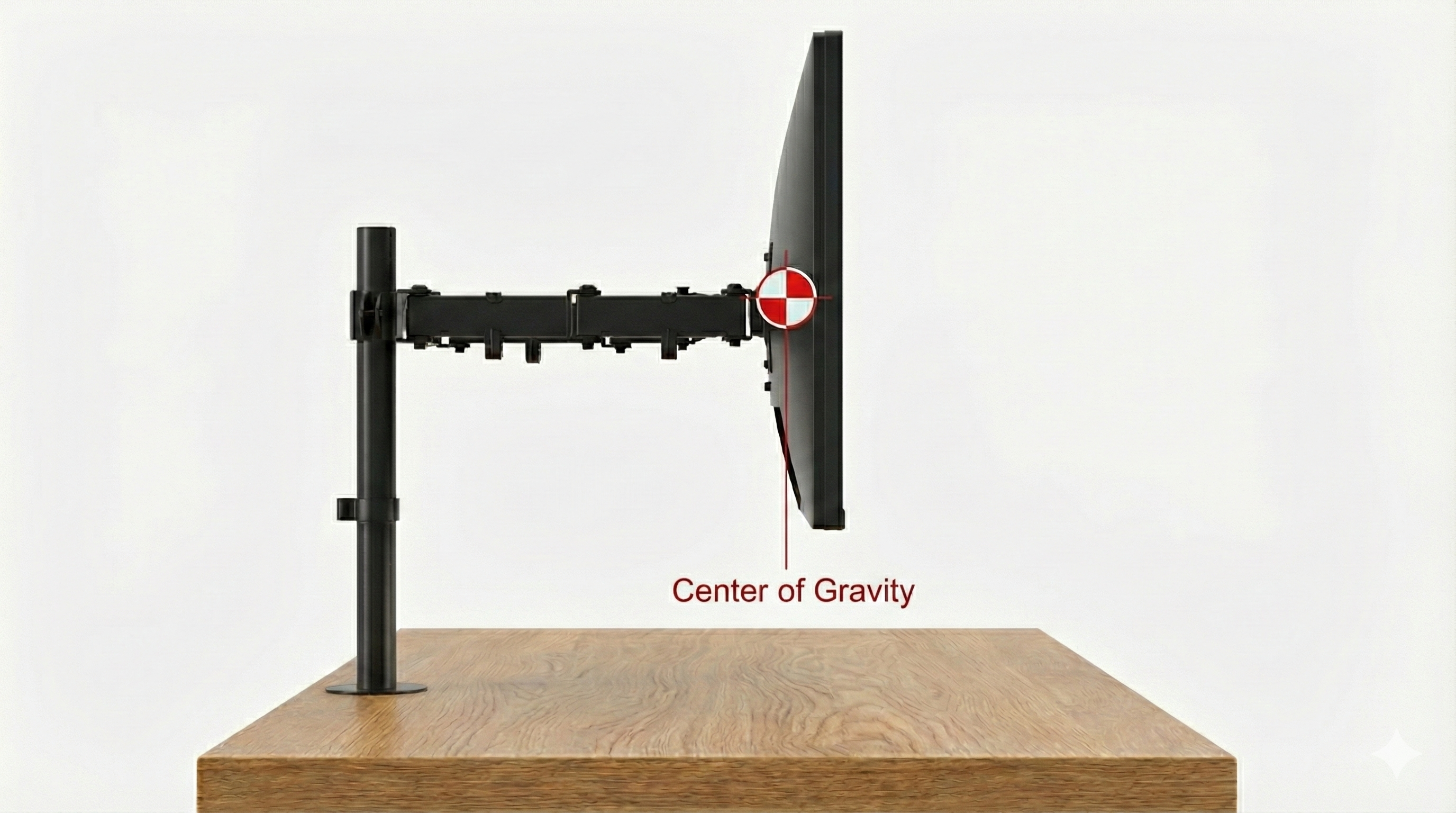
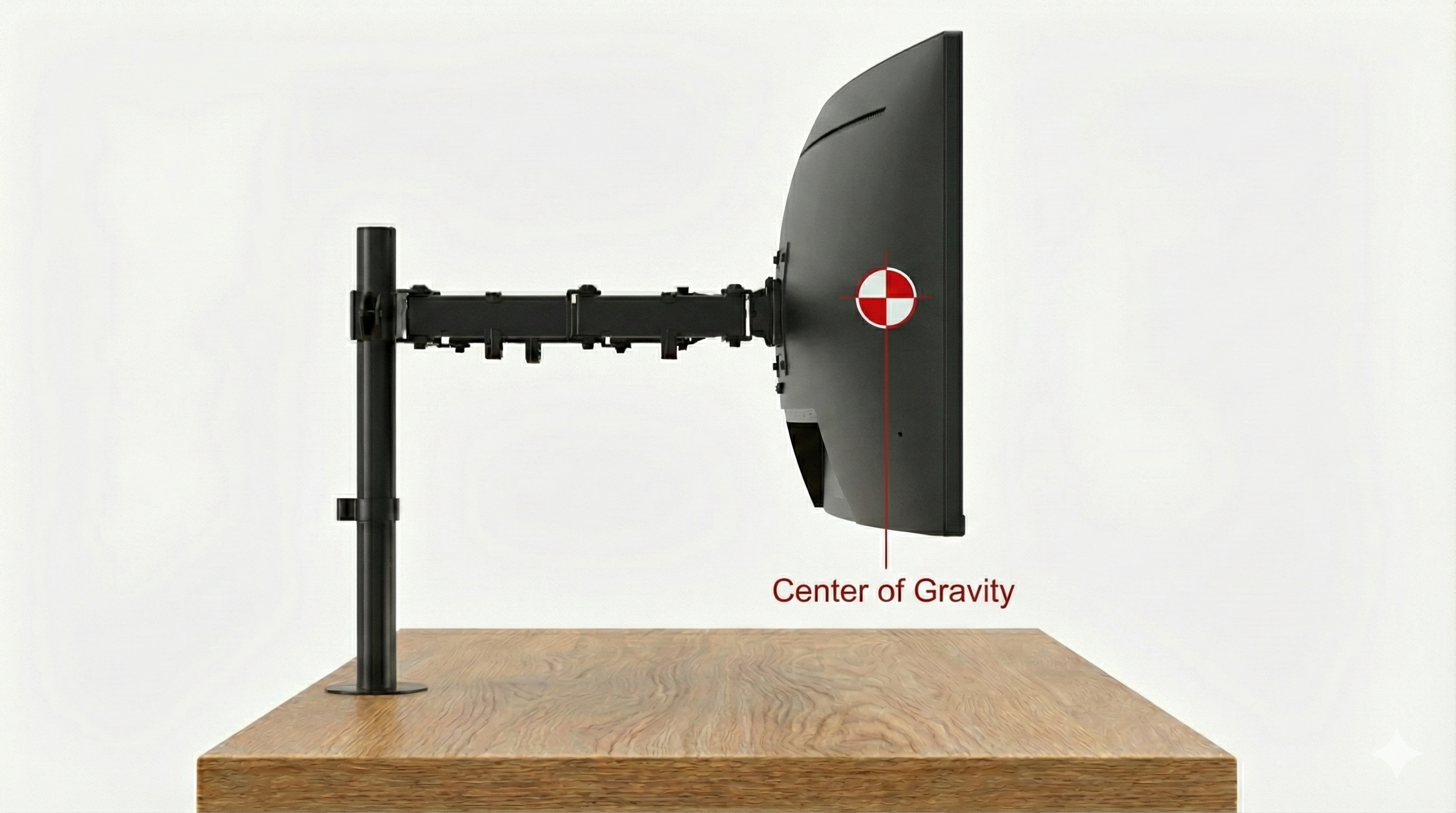
Center of Gravity representation flat monitor on arm
Standard: Flat Monitor
Center of Gravity shift with Curved Monitor - Leverage effect
Problem: Curved Monitor

Mistake #2: Underestimating the surface (Wall & Desk)

The strongest monitor arm is useless if the base gives way. Due to the leverage effect, extreme forces act on the mounting point.

🧱 Challenge: Wall Mounting

Extending a swivel arm multiplies the load on the top anchors.

❌ Drywall/Plasterboard: Normal anchors often find insufficient hold here.
✅ Solution: Only mount into concrete, brick, or directly into wooden studs.

🖥️ Challenge: Desk Mounting

The desk clamp exerts high pressure on a small area.

❌ Glass plates: Risk of breakage.
❌ Honeycomb tables (lightweight): Tables with paper cores are crushed, the arm loses grip.
✅ Solution: Use reinforcement plates or choose solid wood.


Mistake #3: Mounting the VESA plate under tension

You bought a robust "Heavy Duty" arm, want to mount it, and realize: The metal plate is too large.
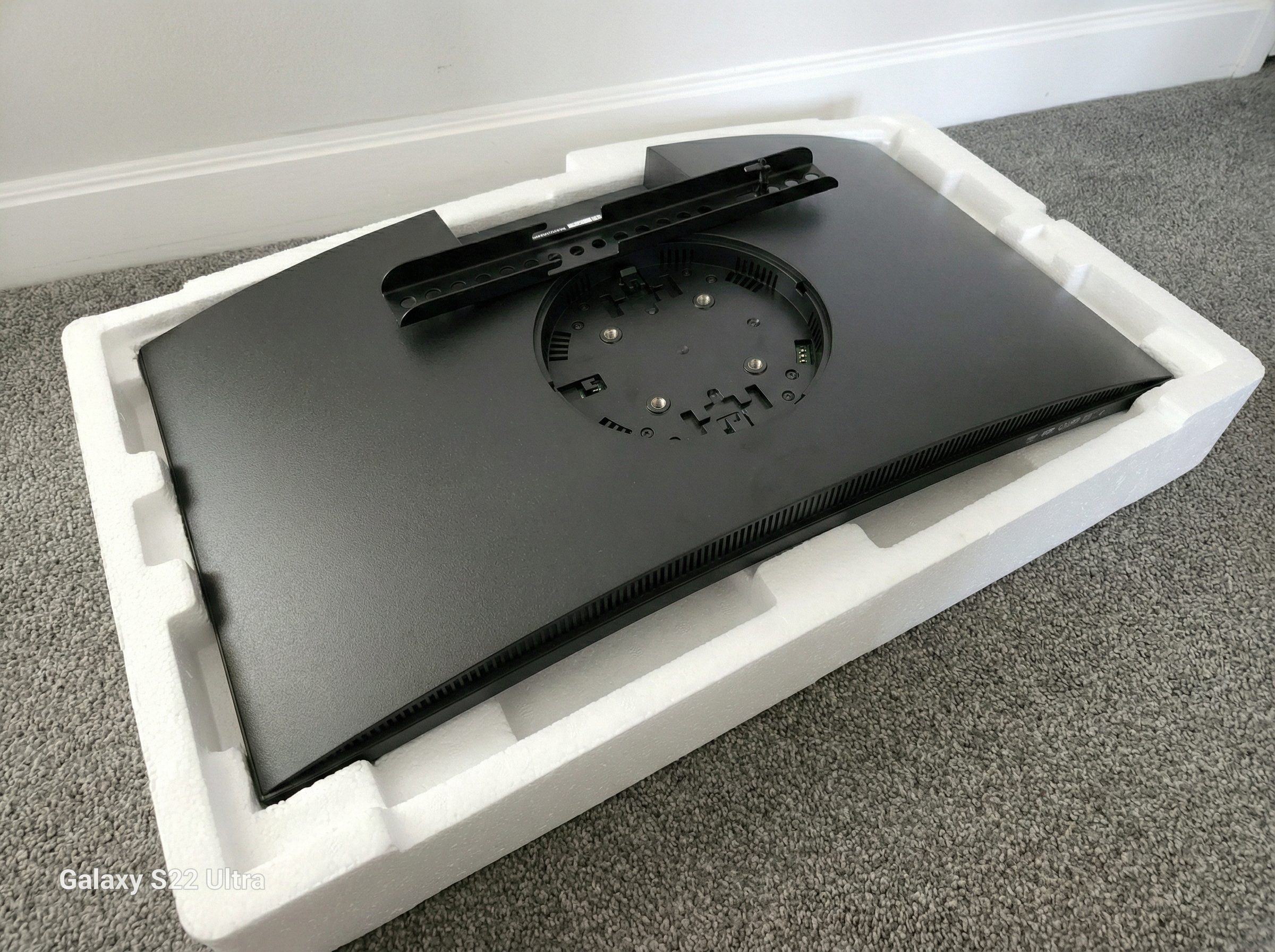
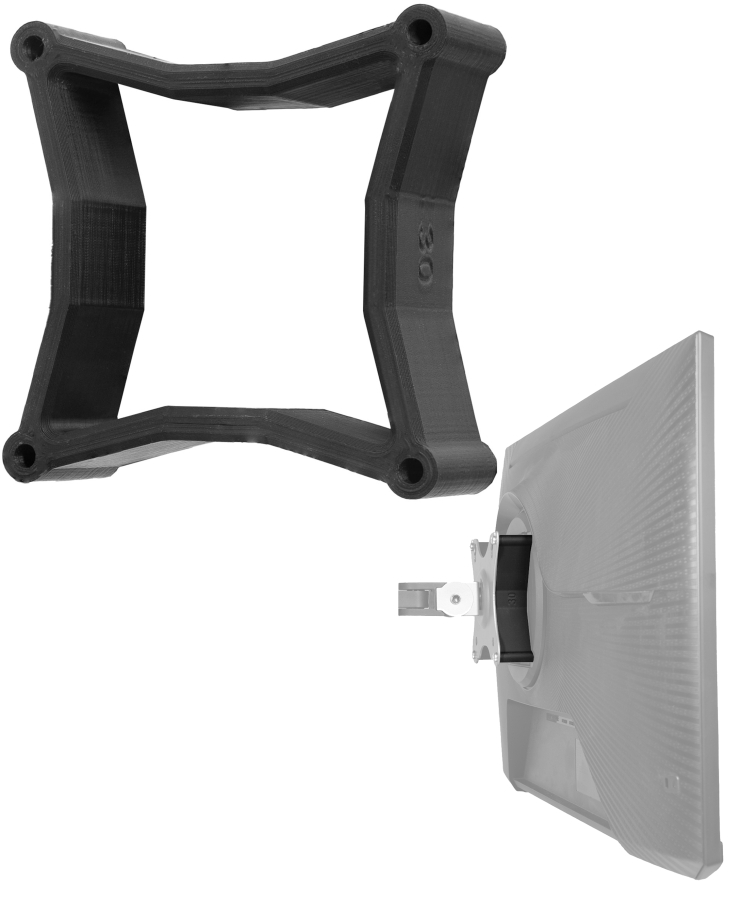
Problem: VESA plate does not fit in the recessed mount of Curved Monitors The plate rests on the housing, not the thread.
🚧 The Problem: "Recessed VESA"

Many gaming monitors have holes in a recess. Strong arms often use large combo plates (75+100mm) that don't fit there. The plate presses on the plastic rim. Tightening under tension can damage the housing!

The Solution: Spacers

Use VESA spacers to lift the plate out of the recess.
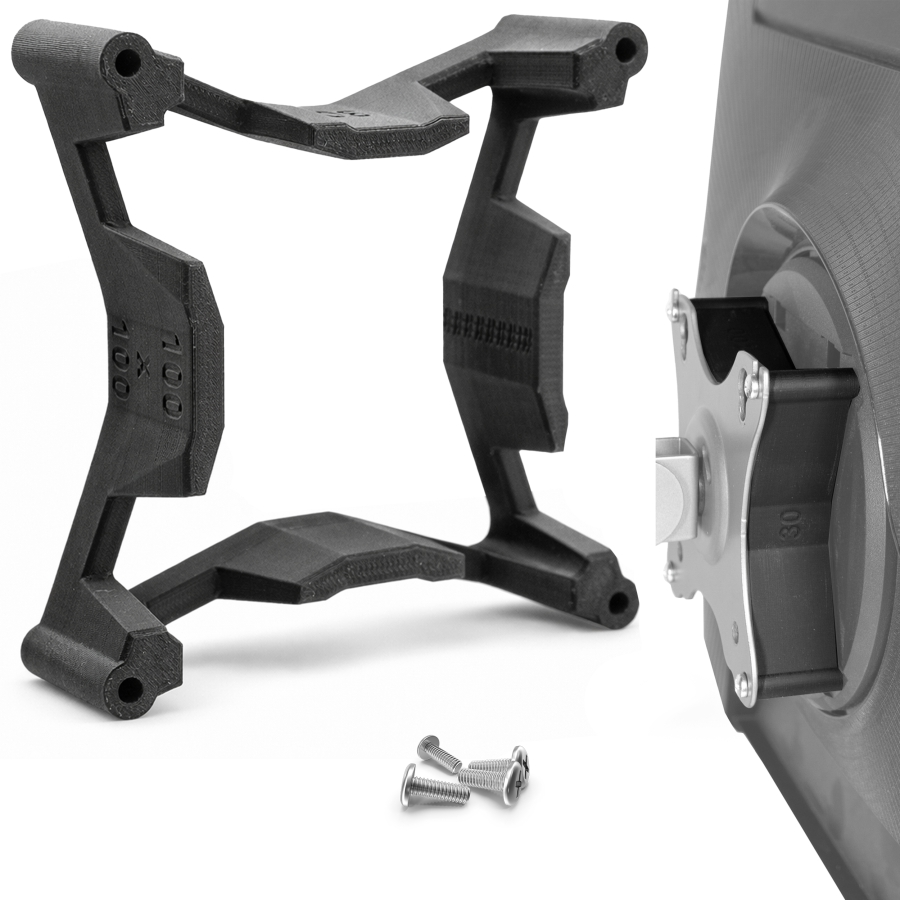
VESA Spacer 75x75 Set for Monitors
For 75x75mm VESA View Product ›
VESA Spacer 100x100 Set for Monitors
For 100x100mm VESA View Product ›

Mistake #4: Neglecting vibrations on the SimRig

🏎️ Force Feedback vs. Screws

Different forces act on the simulator. Motion systems and force feedback steering wheels transmit permanent vibrations to the entire setup.

The Risk: Screws can loosen unnoticed and simple plastic adapters can fatigue due to continuous stress.

The Solution: Use threadlocker (medium strength) for all connections and rely on metal-reinforced adapters (like this one for Samsung Odyssey), which are designed for this load.


Mistake #5: Fixing the joints too late

You hang the monitor, let go... and it slowly tilts forward ("Drooping"). No need to worry, this is usually just a matter of adjustment.
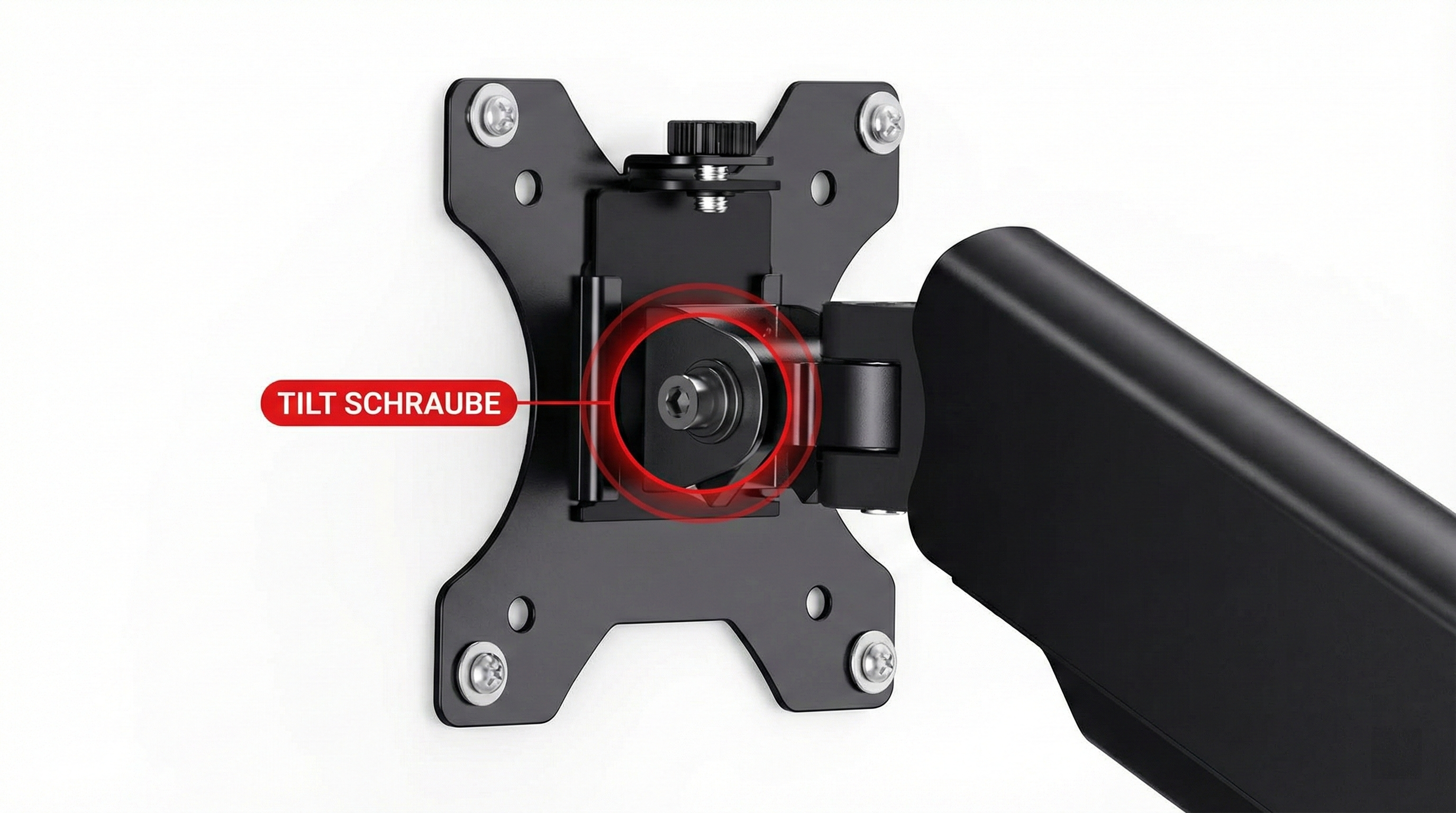
🔧 Pro Tip: The Tilt Screw

Position of the tilt screw on monitor arm head joint Important: The tilt screw on the head

The screw for inclination (tilt) sits at the frontmost joint of the arm. At the factory, this is often set too loose for heavy curved monitors.

  1. Mount the monitor (ideally with two people).
  2. Manually tilt the monitor to the desired angle.
  3. WHILE holding it: Tighten the tilt screw firmly.
  4. Due to the leverage effect, you have to tighten this screw much harder than you might expect. Use high-quality tools.

The Best Mounts for Curved Monitors

Model & Recommendation Load & Physics Mobility Mounting & VESA Price / Verdict
#1
ARES WING GDT1009WH - White Monitor Mount ARES WING White (GDT1009WH) 🏆 Winner
12 kg
max. Load
up to 40"
max. Size

min. 2.0 kg
  • Tilt: +80° / -45°
  • Swivel: 180°
  • Rotation: 360°
  • Lift Range: 280 mm (stepless)
  • Mechanism: GAS SPRING
  • VESA: 75x75 / 100x100
  • Mounting: C-Clamp & Grommet
  • Desk: 10 - 84 mm
  • Material: Aluminum / Steel
✅ Ideal for:
Clean Desk & Apple Setups
65.30 €
In Stock ✔
Over 250x sold
1.6 Good
View Deal Arrow right
More Details & Tech Specs ▼

Technical Details: ARES WING GDT1009WH

1. Load Capacity: 2 - 12 kg
2. Monitor Size: 17 - 40 Inches
3. Mechanism: Gas Spring
4. VESA: 75x75 & 100x100
5. Tilt: +80° / -45°
6. Swivel: 180°
7. Rotation: 360°
8. Lift Range: 280 mm (stepless)
9. Mounting: C-Clamp & Grommet
10. Desk Thickness: 10 - 84 mm
11. Weight: -
12. Feature: Quick-Release
💬 Our Verdict

"If you are looking for a white monitor desk mount for your clean desk setup, choose the ARES WING. This stylish gas spring arm effortlessly supports your curved & flat screens from 17-40 inches (up to 12kg) and combines design with heavy-duty stability."

#2
ARES WING GDT1001L - Gaming Monitor Mount ARES WING GDT1001L
20 kg
max. Load
up to 49"
max. Size

min. 2.0 kg
  • Tilt: +50° / -20°
  • Swivel: +/- 90°
  • Rotation: 360°
  • Feature: RGB Light
  • Mechanism: GAS SPRING
  • VESA: 75x75 / 100x100
  • Mounting: Top-Down
  • Desk: 10 - 85 mm
  • Material: Steel / Alu
✅ Ideal for:
Ultrawide Gaming & Heavy Duty
99.68 €
In Stock ✔
Over 50x sold
1.8 Good
View Deal Arrow right
More Details & Tech Specs ▼

Technical Details: ARES WING GDT1001L

1. Load Capacity: 2 - 20 kg
2. Monitor Size: 17 - 49 Inches
3. Mechanism: Gas Spring
4. VESA: 75x75 & 100x100
5. Tilt: +50° / -20°
6. Swivel: +/- 90°
7. Rotation: 360°
8. Lift Range: 283 mm (stepless)
9. Mounting: Top-Down
10. Desk Thickness: 10 - 85 mm
11. Weight: 7.38 kg
12. Feature: RGB, Top-Down
💬 Our Verdict

"The ARES WING RGB Gaming Monitor Mount is a mech-inspired heavy-duty arm for ultrawide monitors (17-49 inches) up to 20kg. With immersive RGB lighting and an extremely strong gas spring, it's the upgrade for any high-end gaming setup."

Feature: Heavy Duty


Frequently Asked Questions about Mounts

The VESA plate does not fit in the recess. What to do? +
Use spacers and longer screws. This way, the plate rests securely on the spacers and not on the housing rim. This prevents housing breakage.
Why is my monitor drooping? +
This is due to the leverage effect of the curved display. The center of gravity is further forward. The solution: Tighten the tilt screw on the joint much tighter than you are used to with flat monitors.
Which monitor arms for 49 inches (Odyssey G9)? +
For this weight class, you need arms with a special "Heavy Duty Tilt Pivot" (e.g., Ergotron HX or Ares Wing). Standard joints simply buckle under this weight and leverage.
Can my glass table support a monitor arm? +
Usually no. The point load of the clamp is extremely high; glass can shatter spontaneously. Tables with a honeycomb core (cardboard) also give way. Use reinforcement plates or solid wood.
Can I mount on a drywall? +
Only with great caution. Swiveling arms create enormous tensile forces ("leverage") when extended, which pull anchors out of the gypsum. Always mount directly into the stud work (wooden beam/metal profile) behind the panel.
Is SimRacing dangerous for the mount? +
Yes, vibrations from force feedback can loosen screws. We strongly recommend threadlocker (medium strength) on the connections and metal-reinforced mounts for SimRigs.
How much space do I need behind the desk? +
An important point: Monitor arms bend backward like an elbow. If your desk is right against the wall, plan for approx. 10-15 cm clearance from the wall so you can move the arm freely.
Does the desk clamp leave scratches or marks? +
Good mounts have rubber pads. However, with soft wood (pine/spruce), the high weight of a curved monitor can still cause pressure marks. A thin reinforcement plate (steel) between the desk and clamp reliably prevents this.
The monitor wobbles when typing. Is the arm defective? +
No. With widely extended arms and heavy monitors, slight oscillation is physically determined. Tip: Position the arm so that it is not maximally extended; this significantly increases stability.
Where to put the cables with a movable arm? +
Use the integrated cable channels in the arm. Important: Always leave a small "service loop" (leave the cable a bit loose) at the joints so you can move the monitor without the plugs coming under tension or tearing off.

Your Accessories for Safe Assembly

Monitor Mounts Shop Category
MONITOR ARMS Desk & Wall Mounts Arrow
Find VESA Adapter
NO VESA? Find Adapter Here Arrow
Your cart
Subtotal: 0,00 £
Fingerprint
Chat on Whatsapp

Sign up to our newsletter

for important news, great offers and insights from the VESA Adapter Team

vesa-adapter.com
vesa-adapter.com
3idee SARL
19, Rue de Bitbourg
1273 Luxembourg
Luxembourg
info@vesa-adapter.com
Live Chat

Support

  • Return
  • Goods not arrived
  • Product damaged
  • FAQ
  • Assembly instructions

Information

  • About us
  • Shipping
  • Privacy policy
  • Our Terms & Conditions
  • Imprint
  • Right of withdrawal

Find it fast

  • Acer
  • AOC
  • ASUS
  • BenQ
  • CSL
  • DELL
  • HP
  • HP Omen
  • Huawei


  • Koorui
  • Lenovo
  • LC-Power
  • MSI
  • ODYS
  • Philips
  • Samsung
  • Viewsonic
  • Xiaomi
© 2026 - 3idee Sàrl
Paypal AmazonPay klarna Visa Mastercard American Express Discover Diners Club Carte Bancaire JCB Union Pay eps iDeal bancontact Przelewy24

Hello, welcome back

Login to manage your account.

Forgot passwort?
No account yet? Register now

Welcome to vesa-adapter.com

Complete the form to create an account

You already have an account? Login

Forgot passwort?

Enter your email address and we will send you an email with your new password.

You remember again? Login