Deutsch
 Français
 Italiano
 Español
 EUR
EUR USD
USD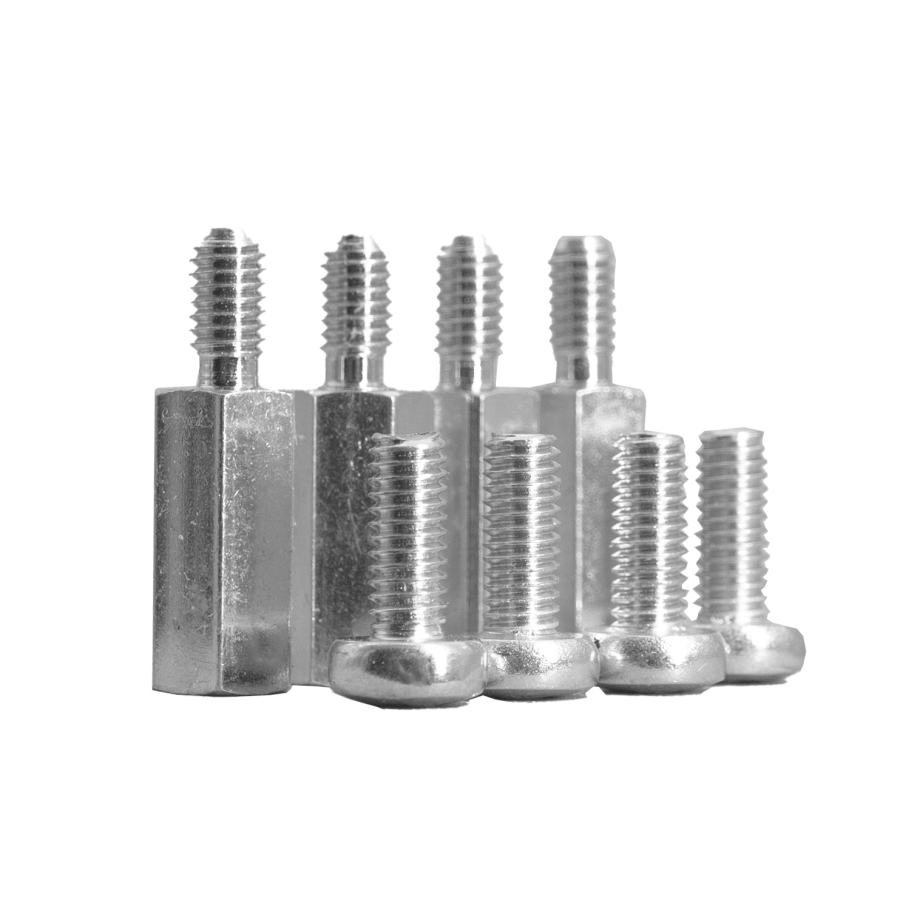
VESA M4 Screws & Spacers
15 mm spacing for M4 VESA threads when the mount requires some distance from the back of the monitor.
Over 212 sold already


satisfaction guarantee
40+ countries
from Luxembourg



VESA M4 Screws & Spacers with 15 mm Distance
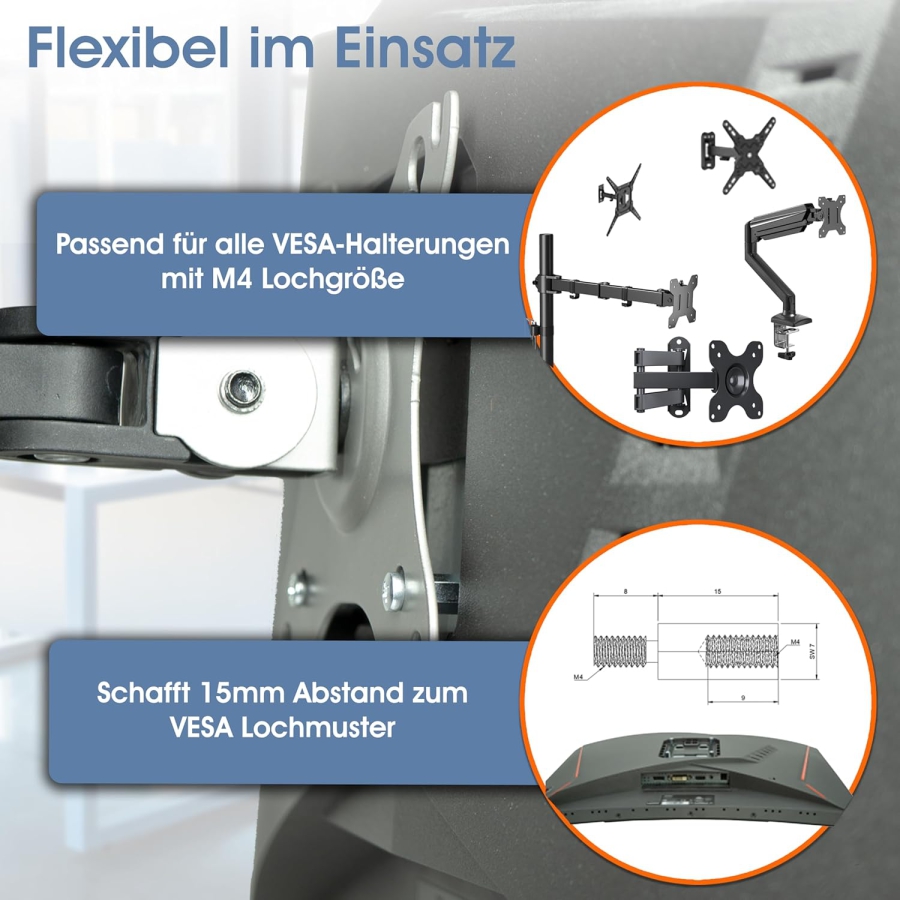
The VESA M4 screws & spacer set creates a 15 mm gap between the back of the monitor and the VESA mounting plate. It is designed for VESA mounts with M4 threads when the mounting bracket requires some additional clearance from the back of the monitor.
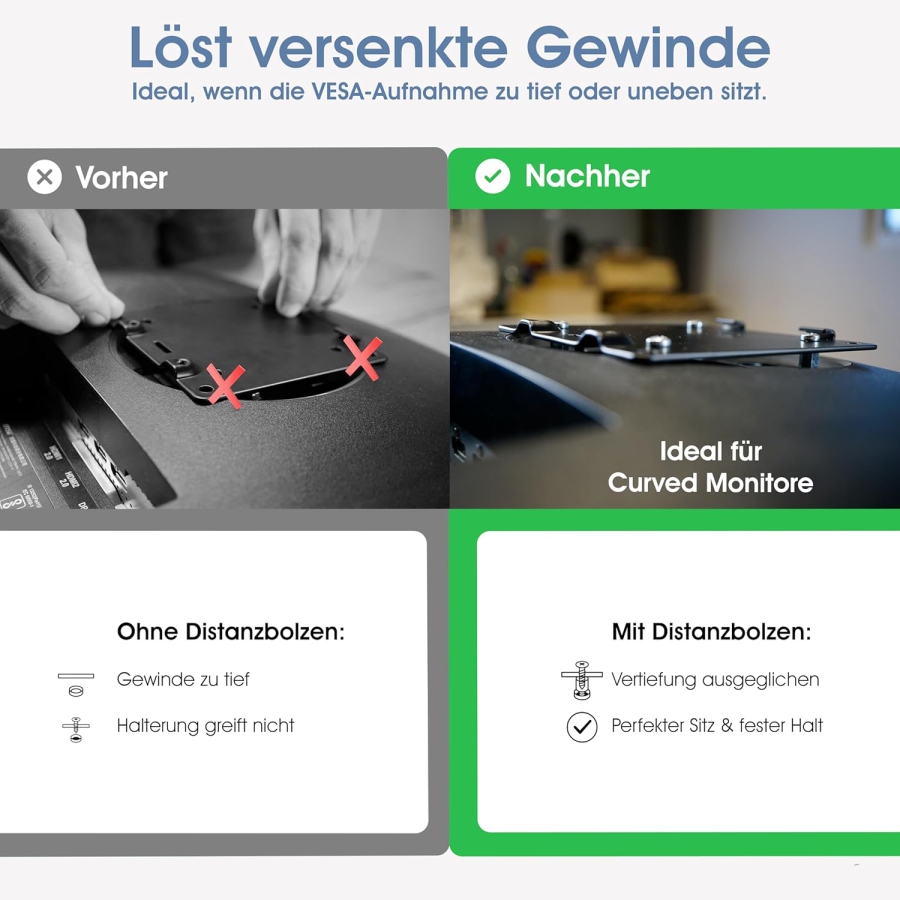
The set is suitable for mounting situations where the VESA mounting points are slightly recessed, the back of the monitor is not completely flat, or the existing screws are not long enough for mounting with additional clearance. The spacers are placed between the monitor and the mounting bracket and create a defined distance of 15 mm.
If your monitor has an M4 VESA thread and your mounting bracket simply needs some additional clearance from the back of the monitor, this set is suitable. If the VESA mounting points are significantly recessed or the bracket comes into strong contact with the monitor housing, a 30 mm VESA spacer may be more suitable.
When Do You Need This VESA M4 Spacer Set?
This set is useful when your monitor already has a VESA mounting interface, but the mounting bracket cannot be installed directly and securely. It is important that your monitor uses an M4 thread and that the additional distance of 15 mm is sufficient for your mounting situation.
- • Slightly recessed VESA mounting points: The mounting threads are positioned slightly deeper inside the monitor housing.
- • The mounting bracket needs clearance: The VESA plate should not sit directly against the back of the monitor.
- • M4 screws required: The set is designed for mounting applications with M4 threads.
- • 15 mm distance is sufficient: The mounting bracket only requires a compact amount of additional space from the back of the monitor.
For VESA MIS-D and MIS-E with M4 Threads
Many monitors with smaller VESA mounting patterns use M4 screws. These include typical mounting applications within the VESA MIS-D and VESA MIS-E categories. However, the specific thread size of your monitor is always the deciding factor.
Before installation, check that your monitor actually uses an M4 thread. This set is not designed for larger VESA mounting applications with M6 or M8 threads.
Our guide explains the differences between MIS-D, MIS-E, and MIS-F: All VESA Standards Explained.
15 mm or 30 mm Distance?
This set creates a 15 mm distance. It is suitable when the mounting bracket only needs a small amount of additional clearance from the back of the monitor. With more deeply recessed VESA mounting points or housing edges that significantly interfere with the bracket, a 30 mm spacer may be more suitable.
- • 15 mm distance: For slight recesses and compact clearance solutions.
- • 30 mm distance: For more deeply recessed mounting points or when more clearance from the housing edge is required.
For a 30 mm distance, suitable options are available as VESA spacer 75x75 or VESA spacer 100x100.
Difference Between This Set and a VESA Spacer 75x75 or 100x100
This product is not a fixed 75x75 or 100x100 spacer with a 30 mm height. It is an M4 screw and spacer set with a 15 mm distance. Therefore, the thread size and the required screw length are just as important as the VESA mounting pattern.
The set does not change the VESA mounting pattern. It does not convert 75x75 into 100x100 and does not replace an adapter plate. It creates additional clearance between the monitor and the mounting bracket and provides the appropriate M4 mounting hardware for this purpose.
Technical Specifications
| Product type | VESA M4 screws & spacer set |
| Thread | M4 |
| Distance | 15 mm distance between monitor and VESA plate |
| VESA range | For VESA MIS-D and MIS-E with M4 threads |
| Application | Slightly recessed or uneven VESA mounting points |
| Not suitable for | M6 or M8 mounting applications |
Installation Instructions
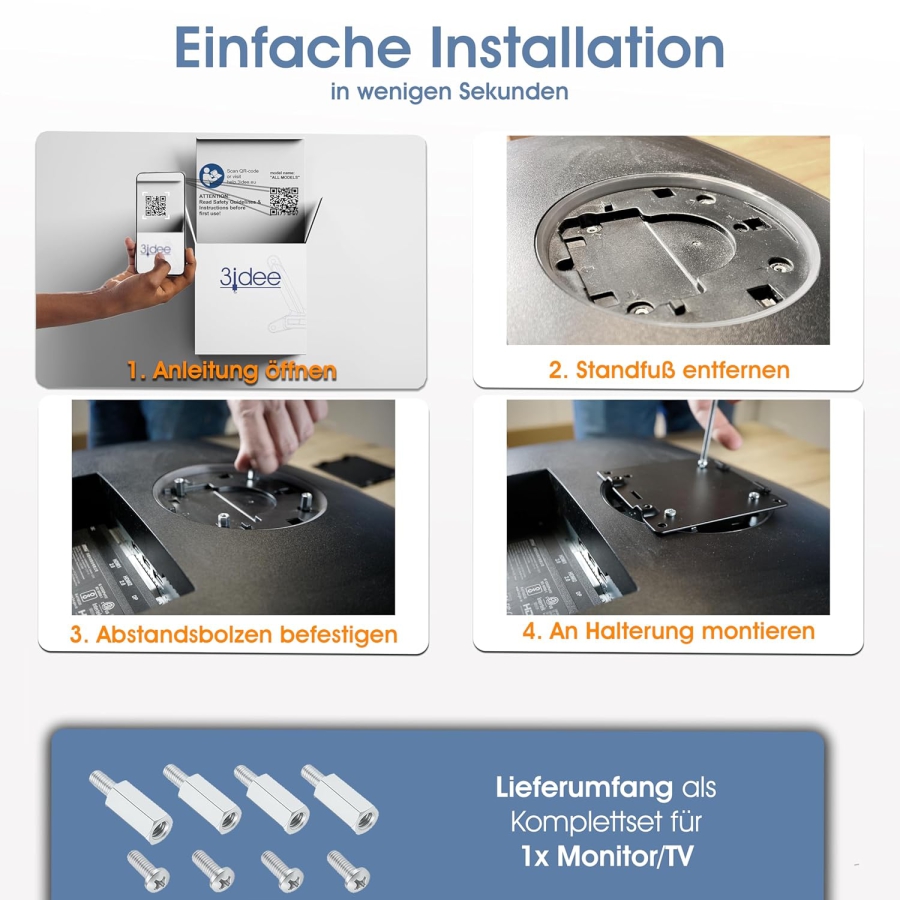
- Check whether your monitor has an M4 thread.
- Check whether a 15 mm distance is sufficient for your mounting situation.
- Place the spacers between the back of the monitor and the VESA plate.
- Align the monitor mounting bracket correctly.
- Secure the mounting bracket using the appropriate M4 screws.
- Tighten the screws evenly and check that the mounting is secure.
Note: Before installation, always check the thread size, thread depth, screw length, VESA standard, and mounting bracket. The screws must engage securely in the thread but must not be screwed too deeply into the monitor.
Frequently Asked Questions About the VESA M4 Screw & Spacer Set
Delivery:
We ship our products to over 40 countries and can also send your order via UPS Express shipping. Delivery times and shipping costs can be found in the shipping information.
If your country is not listed or you`d wish to receive a dedicated offer, feel free to reach out to us. International shipments are our speciality!
Returns:
As a young start-up company, we are unfortunately unable to offer free returns at this time (except for complaints and warranty claims). We appreciate your understanding.
Or download the manual as a PDF here.
Was unsere Kunden sagen
Got questions?

Our Bestsellers
___108_0_247636.jpg)
___107_0_832217.jpeg)
___152_10_857880.jpg)
___161_10_116100.jpg)
--75x75mm___128_0_625560.jpg)
___153_0_556069.jpg)
___143_0_297220.jpg)
Why vesa-adapter.com?
In-house development & local manufacturing
Personal service – our support team is always here to help
Family-run business from Luxembourg
Over 80,000 desks equipped already
Responsible Person for the EU
The economic operator responsible for this product is the one established in the EU:
3idee S.à.r.l
19 Rue de Bitbourg
1273 Luxembourg
Luxembourg
info[at]3idee.eu
https://help.3idee.eu/en/kontakt
https://www.3idee.eu
Warning: By clicking this link, you will leave vesa-adapter.co.uk and be directed to an external website. Please note that we are not responsible for its content.
You can also find the responsible economic operator on the product itself, on its packaging, or in a document accompanying the product.
Your cart